
COSO's generative AI guidance, applied to one finance workflow step by step
COSO's generative AI guidance applied to one AP workflow: which steps are GenAI capability types, which run on fixed rules, and what to show auditors.

Part of the month-end close guide.
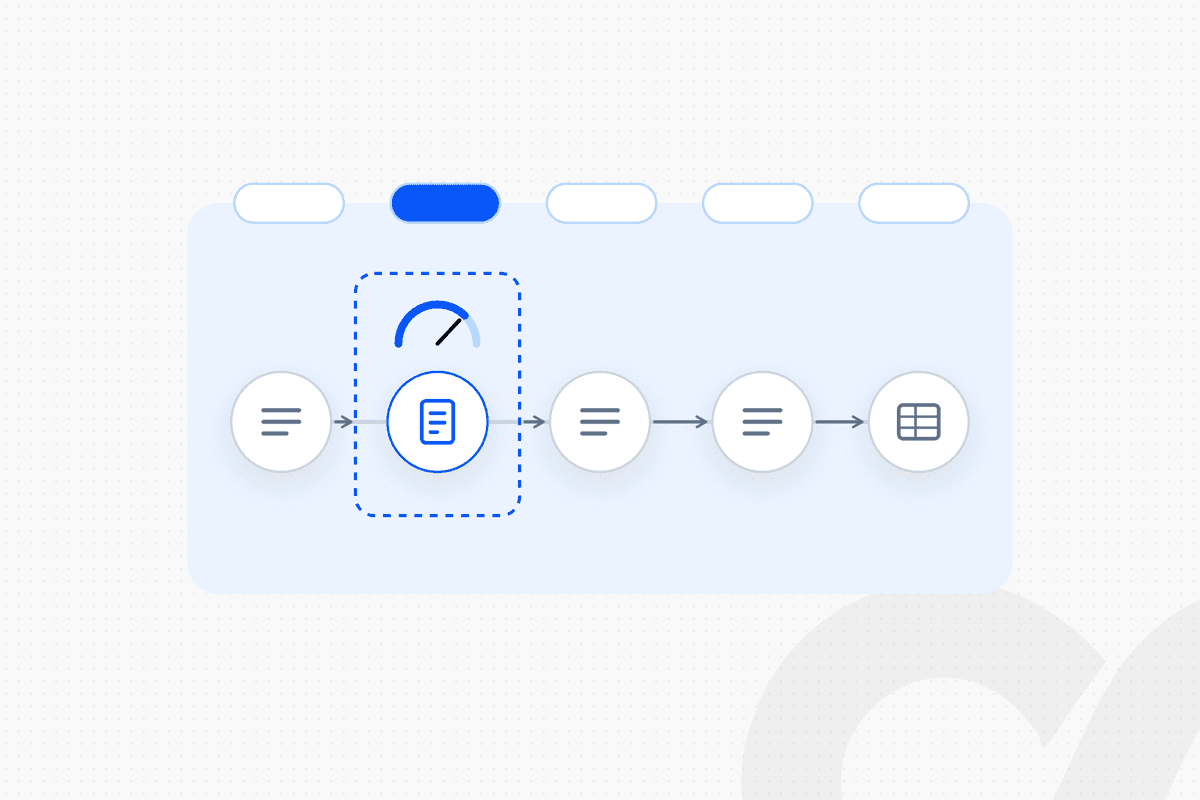
COSO's generative AI guidance sorts GenAI uses into eight capability types and asks for controls in proportion to the risk each one carries. Applied to one accounts payable workflow (invoice received → data extracted → coded → approved → posted to NetSuite), only the extraction step needs to be generative AI. Intake, coding, routing and posting can run as approved fixed rules, which COSO places outside the guidance's scope, and a named person approves before anything posts. This post walks that workflow through COSO's framework step by step, so controllers and auditors can see which controls apply where. Every interpretation of COSO here is our reading of the document, and we mark it as such.
Key takeaways
- COSO released Achieving Effective Internal Control Over Generative AI on February 23, 2026. It maps GenAI onto the 2013 framework's five components and 17 principles.
- COSO defines eight capability types, from data extraction and ingestion to human-AI collaboration, and a six-step roadmap from governance to monitoring.
- Rule-based automation is outside the guidance's scope. COSO also says deterministic automation can provide greater reliability and lower risk for some use cases.
- In our AP example, one step is a GenAI capability type (data extraction and ingestion). The rest run on fixed rules or are done by people.
- COSO's reliance test decides how much evidence you need. If management depends on AI output as part of the evidence for an ICFR control, ICFR evidence standards apply to the AI step.
What COSO's generative AI guidance says
COSO's generative AI guidance is a publication that applies the 2013 Internal Control-Integrated Framework to generative AI. COSO released it on February 23, 2026, according to Deloitte's Heads Up. It does not create a separate framework. It adapts the five components (Control Environment, Risk Assessment, Control Activities, Information and Communication, Monitoring Activities) and the 17 principles to GenAI.
The guidance organizes GenAI uses by what the system does, not by product name. COSO's document lists eight capability types "that follow a logical data-to-decision sequence":
| # | COSO capability type | COSO definition |
|---|---|---|
| 1 | Data extraction and ingestion | Capture and interpret raw data from structured and unstructured sources |
| 2 | Data transformation and integration | Transform raw or unstructured data into usable data by cleaning, normalizing, or combining it |
| 3 | Automated transaction processing and reconciliation | Automate high-volume tasks |
| 4 | Workflow orchestration and autonomous task execution | AI agents coordinate and perform multi-step tasks with minimal human input |
| 5 | Judgment, forecasting, and insight generation | Produce forecasts, insights, or draft analyses |
| 6 | "AI-powered monitoring and continuous review" | Continuously scan activity for anomalies |
| 7 | Knowledge retrieval and summarization | Summarize large volumes of information |
| 8 | Human-AI collaboration | Augment human capabilities through chat-based interfaces |
Names and definitions are from COSO's Figure 3. COSO's own press release and some press summaries list "regulatory intelligence" as the seventh type; the publication's Figure 3 says knowledge retrieval and summarization.
COSO also gives a six-step implementation roadmap: establish AI governance structure, inventory GenAI use cases, assess risks by COSO component, design and map controls, implement and communicate, and monitor and adapt. The roadmap is a cycle. After step 6, COSO says to return to step 1.
What the guidance leaves out of scope
COSO's guidance covers generative AI, not rule-based automation. Its Appendix A states that rule-based automation technologies "are not deemed AI and are outside the scope of this document," and points to COSO's earlier guidance on robotic process automation. It also says it does not repeat established guidance on traditional IT general controls, including segregation of duties in ERP systems, "though those remain necessary."
The guidance goes further on tool choice. Under Principle 6, COSO says organizations should determine whether GenAI is the right tool: "In some cases, deterministic automation or traditional machine learning provides greater reliability and lower risk. Using GenAI where simpler technologies would suffice can introduce unnecessary risk."
Our reading: every step you run on approved fixed rules leaves the GenAI guidance's scope and stays under the controls you already test. That shrinks the GenAI control surface to the steps that need it. It does not remove the need for access, change and operating controls over the rules themselves.
The workflow we will walk through
The example is a standard accounts payable flow for a company on NetSuite: invoice received → data extracted → coded → approved → posted to NetSuite. Invoices arrive as PDFs in an AP inbox. A GL account and cost center are assigned. A budget owner approves. The bill posts to NetSuite.
Two design choices drive the COSO mapping. First, which steps use GenAI at all. Second, whether the person approving relies only on the AI output. We take each step in turn.
Mapping each step to COSO, step by step
For each step, the questions are the same: does GenAI do this step, which capability type is it if so, and which COSO controls apply?
Step 1: Invoice received
Receiving an invoice is not a GenAI capability in this design. A fixed rule watches the AP inbox, records each attachment with its sender and timestamp, and checks the sender against the vendor master. That is rule-based intake, outside the GenAI guidance's scope. The controls are ordinary ones: an approved list of intake channels and a log of every document received.
Step 2: Data extracted
Extracting header and line fields from an invoice PDF is COSO capability type 1, data extraction and ingestion. This is the one step in our workflow where generative AI does the work, as a scoped task. COSO's own inventory example matches it closely: "Invoice Extraction: Ingestion/Extraction; Owner: AP Ops; Objective: extract header/line item fields; Data Sources: vendor PDFs."
COSO's Appendix B lists control considerations for this type. The ones that matter most here:
- "Configure confidence thresholds with human review for low-scoring fields."
- "Require dual review for new templates before production use."
- "Tag outputs with provenance (file, version, capture method)" and "Store field-level confidence scores."
Its illustrative metrics include "Percentage of records below confidence threshold routed to review." In practice: any field below the confidence threshold goes to an AP specialist, and every extracted value keeps a link to its source file.
Step 3: Coded
GL coding can run as a fixed rule, which keeps it outside the GenAI guidance. The rule takes the default account from the vendor record or the purchase order line, and the cost center from the PO or the requester. If no rule applies, the line goes to a person to code.
If a team instead uses GenAI to suggest a GL account, our reading is that the suggestion falls closest to type 3, automated transaction processing and reconciliation, where COSO lists "Misclassification of transactions" as a key risk. A suggestion that a person accepts or corrects line by line keeps the AI output from being the sole basis for the coding. We recommend rules first, and GenAI suggestions only with a person accepting each one.
Step 4: Approved
Approval is a human control, and it is where COSO's reliance test applies. COSO defines reliance as management depending "on outputs generated by an AI system as part of the evidence supporting an ICFR control's design or operating effectiveness." Its reliance example: "AI automatically matches journal entries to supporting documentation, and management reviews and approves the posting using only the AI output." Its non-reliance example: a control owner "re-performs the match on all or a sample of items and documents their review and approval."
In our workflow, the approver sees the extracted fields next to the original PDF, plus any field that was below threshold and how it was resolved. Whether that counts as reliance is a judgment for management and the auditor. When reliance exists, COSO says the AI step should meet ICFR evidence standards: "Documented prompt, configuration, and model version," "Clear sampling rationale and exception resolution," and retention of sufficient evidence.
COSO also lists a segregation of duties control for this point: "Separate the ability to configure AI settings from the authority to approve or review outputs." The budget owner who approves should not be able to change the extraction thresholds.
Step 5: Posted to NetSuite
Posting the approved bill runs as a fixed rule in this design, so it is not a GenAI capability. The rule posts only bills with an approval on record and blocks any bill whose amounts changed after approval.
COSO shows what posting looks like when GenAI does it. Its example is a GenAI reconciliation agent "configured to automatically post only when the match confidence exceeds a validated threshold," with "multi-party approval, logged evidence, post-change sampling" for any change to that threshold. A deterministic posting rule avoids the confidence-threshold question entirely, but the rule still needs change control and access restrictions under your IT general controls.
The capability types this workflow does not use
Our example deliberately does not use types 4, 5, 6, 7 or 8. Routing is a fixed rule, not an AI agent coordinating tasks (type 4). No forecast or analysis is generated (type 5). Exception monitoring uses fixed thresholds, not an AI scanner (type 6). No summarization or chat assistant sits in the control path (types 7 and 8). Each one a team adds brings its own COSO control set.
The whole workflow on one page
The table below summarizes the mapping. The capability type column is our interpretation of COSO's taxonomy.
| Step | What performs it | COSO capability type | Key control | Evidence |
|---|---|---|---|---|
| Invoice received | Fixed rule | None (rule-based, out of scope) | Approved intake channels | Intake log |
| Data extracted | GenAI, scoped task | 1. Data extraction and ingestion | Confidence threshold, human review below it | Field confidence scores, source link |
| Coded | Fixed rule (or person) | None; type 3 if GenAI suggests codes | Coding rules under change control | Rule version per line |
| Approved | Named person | Reliance test applies | Configure and approve rights separated | Approver, timestamp, what was shown |
| Posted to NetSuite | Fixed rule | None (rule-based, out of scope) | Post only approved, unchanged bills | Posting log tied to approval |
Flow: invoice received → GenAI extracts fields (low confidence to a person) → rules code the lines → budget owner approves in Slack → rule posts to NetSuite → every step recorded.
If you want this mapping done for one of your workflows, book a demo and we will walk it with you.
Running COSO's six-step roadmap on this one workflow
The roadmap is easier to start on one workflow than across the company. Here is a short version for the AP example:
- Establish AI governance structure. Name the owner of the AP workflow and who approves changes to its GenAI step.
- Inventory GenAI use cases. Record the extraction step as one entry: capability type, owner, data sources, model, criticality.
- Assess risks by COSO component. For extraction, COSO's own example lists personally identifiable information handling, vendor model update cadence and template drift.
- Design and map controls. COSO's example: "confidence thresholds and human review for new templates, monthly accuracy sampling, and service-level agreements for exception queues."
- Implement and communicate. Train AP reviewers on what a low-confidence flag means and where to escalate.
- Monitor and adapt. Track the share of fields routed to review, and re-test after any model or vendor update.
Our posts on SOX-ready AI workflows and the audit trail in automated finance cover the evidence side in more depth, and AI compliance risks in finance covers the wider risk list.
Where Loopfour fits
Loopfour, the deterministic finance workflow automation platform, builds workflows where AI does scoped tasks and fixed rules do the rest. An AI agent decides what to do at runtime. Loopfour does only what was approved.
In a Loopfour AP workflow, AI extracts invoice data under a confidence threshold, with a person reviewing anything below it. Coding, routing and posting run as approved rules, approvals happen in Slack with a named approver, and every run records its inputs, outputs and logic version. That design keeps most steps out of the GenAI guidance's scope and makes the one GenAI step easy to inventory. Our post on deterministic AI vs black-box finance tools explains the difference in more detail. Loopfour is SOC 2 Type II certified and SOC 1 Type I certified, and signs Business Associate Agreements (BAAs) with customers.
Frequently asked questions
What is COSO's generative AI guidance?
It is a COSO publication titled Achieving Effective Internal Control Over Generative AI (GenAI), released on February 23, 2026. It applies the five components and 17 principles of COSO's 2013 Internal Control-Integrated Framework to generative AI, sorts GenAI uses into eight capability types and gives a six-step implementation roadmap.
What are COSO's eight generative AI capability types?
COSO lists data extraction and ingestion; data transformation and integration; automated transaction processing and reconciliation; workflow orchestration and autonomous task execution; judgment, forecasting, and insight generation; "AI-powered monitoring and continuous review" (COSO's name); knowledge retrieval and summarization; and human-AI collaboration.
Does COSO's generative AI guidance cover rule-based automation?
No. COSO's appendix states that rule-based automation technologies are not deemed AI and are outside the document's scope, and it points to COSO's earlier guidance on robotic process automation. Rule-based steps still sit under your normal internal controls, including IT general controls.
What is AI reliance under COSO's guidance?
COSO adopts a working definition in which reliance occurs when management depends on outputs generated by an AI system as part of the evidence supporting an ICFR control's design or operating effectiveness. When reliance exists, COSO says AI controls should meet ICFR evidence standards, such as documented prompt, configuration and model version.
Is COSO's generative AI guidance mandatory?
COSO publishes frameworks and guidance, not regulations, and this publication describes itself as general information, not professional advice. If your company evaluates internal control over financial reporting against COSO's 2013 framework, this publication applies that same framework to GenAI. Confirm with your auditor how they will apply it.
Where should a finance team start with COSO's generative AI guidance?
Start with step 2 of COSO's roadmap: inventory every GenAI use case, classify each by capability type and assign an owner. That inventory shows which workflow steps use GenAI at all.
Conclusion
COSO's generative AI guidance gives controllers and auditors a shared vocabulary, and it is most useful one workflow at a time. In our AP example, one step is a GenAI capability type, the rest run on fixed rules or are done by people, and the approval step is where COSO's reliance test decides how much evidence you keep. Map your own workflows the same way before year-end fieldwork, and the GenAI conversation with your auditor gets much shorter.
Tell us the one workflow your team dreads. We will show it running. Book a demo.