
What Are AI Finance Workflows and How Do They Work?
AI finance workflows are structured, automated sequences that connect your finance systems and use AI only for genuine judgment steps. Here is how they are built.

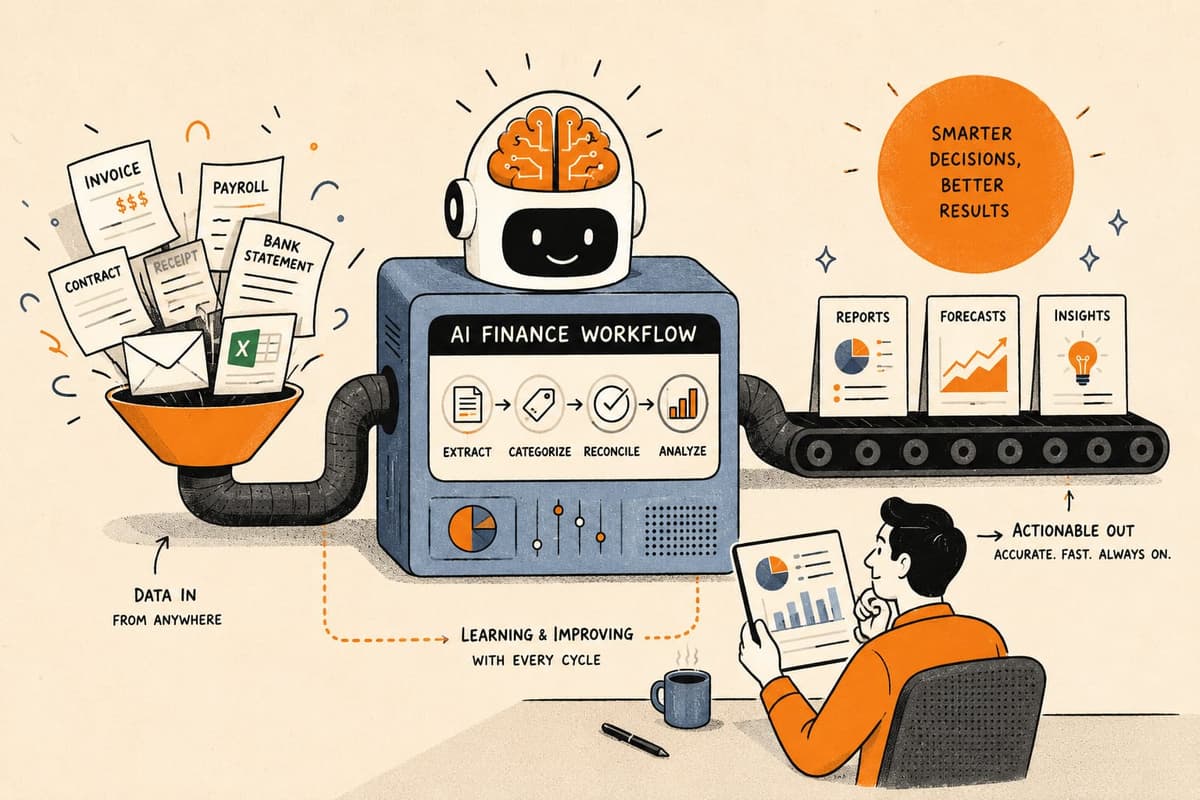
An AI finance workflow is a structured, automated sequence of steps that runs a finance process from trigger to write-back, using AI for specific judgment steps where human-like reading or classification is required. It is not a chatbot, not a script, and not an AI agent with open-ended access to your systems. It is code that runs your process reliably, calling an AI model only where the task is genuinely unstructured.
This article explains what a finance workflow looks like from the inside, how it differs from the alternatives, and what makes AI a useful (but bounded) part of the design.
What Distinguishes a Finance Workflow from a Script or a Chatbot?
Finance teams have run into two inadequate alternatives: scripts and chatbots.
A script does one thing. It pulls a file, transforms a column, sends an email. Scripts are brittle because they do not handle branching logic, they do not route exceptions, and they are not connected to the other steps in the process. A team that automates AP with a script still has a human closing the loop between the script's output and the ERP.
A chatbot responds to questions in a conversational interface. It can look up an invoice status or summarize a report, but it does not execute steps in your ERP, does not send payment runs, and does not update the close calendar. A chatbot is a query interface, not a process runner.
A finance workflow is different on both dimensions. It is a defined sequence of steps with branching logic, data fetching, system write-backs, and human approval gates, triggered by a real event and run without a human needing to coordinate the pieces. The AI, where it appears, is one step in that sequence, not the whole thing.
A useful analogy: a workflow is like a written procedure that runs itself. A script is one line of that procedure. A chatbot is a colleague you can ask questions but who does not do the procedure for you.
Takeaway: A finance workflow automates the whole process, not just one step. That is what makes it worth building.
What Does the Anatomy of a Finance Workflow Look Like?
Every finance workflow, regardless of the specific process, follows the same basic structure. Here it is mapped to a concrete AP example.
Trigger. Something happens that starts the workflow. In AP, that is typically an invoice arriving by email or landing in a shared folder. In AR, it is a payment due date passing without a receipt. In revenue recognition, it might be a contract reaching a signed status in the CRM. The trigger is the event; the workflow is what happens next.
Data retrieval. Before any logic runs, the workflow fetches the context it needs. For an invoice, that means pulling the corresponding purchase order from the ERP, retrieving the vendor record, and checking for duplicates. This step is entirely deterministic: fetch these records, given these keys.
Judgment step (where AI appears). If the invoice is a PDF from a non-standard vendor, a human could read it but a simple rule cannot. This is where a scoped AI model earns its place. The workflow sends the document to the model with a narrow prompt: "extract invoice number, vendor name, line items, and total." The model returns those fields along with a confidence score.
Confidence threshold check. If the confidence score is above the set threshold, the extracted fields move to the next step automatically. If it is below, the item is flagged and routed to a human reviewer, who sees the model's draft and corrects or confirms it. This is the gating mechanism that keeps AI from propagating errors downstream.
Approval gate. For invoices above a dollar threshold or from new vendors, the workflow holds for a human approver. This is the maker-checker pattern: one party initiates, another confirms. The approval is recorded in the run log with a timestamp and the approver's identity.
Write-back. Once approved, the workflow posts the matched invoice to the ERP, updates the vendor payment record, and schedules the payment run. This step is code, not a model. The same input produces the same output every time.
Notification and logging. The workflow sends a confirmation, updates any downstream dashboards, and writes a full run record that includes every input, every decision, every model call, and every human action taken.
Takeaway: AI appears at exactly one step in this anatomy. The rest is structured code. That ratio is intentional and important.
Workflow Stage Map: What Runs Each Step and When Humans Are Involved
| Workflow Stage | What Runs It | Human Involved? | Notes |
|---|---|---|---|
| Trigger | Event listener (email, webhook, file drop) | No | Fires automatically on the defined event |
| Data retrieval | Deterministic code, API calls | No | Fetches PO, vendor record, duplicate check |
| Judgment step | Scoped AI model | Only if below confidence threshold | Extraction or classification task with narrow scope |
| Confidence check | Rule in workflow code | No | Routes to human queue if score is below threshold |
| Approval gate | Notification + human review | Yes, on defined conditions | Maker-checker; logged with identity and timestamp |
| Write-back to ERP | Deterministic code | No | Same inputs produce same outputs every run |
| Notification | Code | No | Sends confirmation, updates close calendar |
| Run record | Automatic logging | No | Full trace of every step, input, and decision |
How Is This Different from General-Purpose Automation Tools?
General-purpose automation tools connect apps and trigger actions based on rules. They are useful for simple linear flows, such as "when a form is submitted, add a row to a spreadsheet and send an email." Finance workflows have requirements those tools were not designed to meet.
Finance processes involve branching logic that changes based on dollar amounts, vendor types, approval tiers, and exception conditions. They require three-way match across PO, receipt, and invoice, which is a multi-record join with tolerance logic, not a simple trigger-action. They need a maker-checker approval trail. They need the run record to be traceable and defensible, not because someone asked for it but because an auditor or a restatement scenario might require it.
General-purpose tools also tend to break when the underlying system changes its interface. A finance workflow built on Loopfour uses browser automation where no API exists, adapting to UI changes rather than failing silently. Where APIs are available, it prefers them for reliability and speed.
The other difference is ownership. With a general-purpose tool, the finance team builds and maintains the workflow. With Loopfour, the engineering team builds and maintains it, and the finance team owns only the approval and exception decisions. That distinction matters because finance workflows are not static: they need to change when policies change, when a vendor changes their invoice format, or when a new approval tier is added.
Takeaway: Finance workflows have structural requirements, traceability, branching logic, and system write-backs, that general-purpose tools are not built to meet.
What Kinds of Finance Processes Fit This Model?
The processes that benefit most from AI finance workflows share a profile: they are high volume, they run on a predictable schedule or event cadence, they have defined rules that can be codified, and they have at least one step that involves unstructured input.
AP invoice processing fits cleanly. So do AR collections and dunning sequences, month-end close reconciliation, ASC 606 revenue recognition triggered by contract events, GL classification of expense imports, and intercompany reconciliation. These are not edge-case finance tasks; they are the core of what most finance teams do every week.
A team processing 500 vendor invoices a month might spend 30 to 40 hours on data entry, matching, and routing alone. A finance workflow reduces that to the exception cases, typically the invoices the model could not read confidently, the vendors requiring new approval, and the duplicates flagged for investigation. The volume of work that reaches a human is a fraction of the original, and the work that does reach them is higher value.
For close, the benefit is compounded across steps. When the AP workflow runs reliably and the AR collections workflow has already chased outstanding balances, the month-end close starts from a cleaner position. DSO drops not because the collections email was better written, but because it went out on day one instead of day eight.
Takeaway: The dollar value of a finance workflow is often not in the step it automates but in the downstream steps it unblocks.
FAQ
What triggers a finance workflow?
A finance workflow can be triggered by an event (an invoice arriving, a contract being signed, a payment due date passing), a schedule (run the close checklist at 9am on the last business day of the month), or a manual action (a finance team member releasing a batch for processing). The trigger is defined when the workflow is built.
Does a finance workflow replace my ERP or accounting system?
No. A finance workflow runs on top of your existing systems. It reads from and writes to your ERP, CRM, billing tools, and bank connections, but it does not replace them. The workflow is the connective tissue between systems, not a system itself.
How does AI fit into a finance workflow without introducing errors?
AI is used only for steps where the input is unstructured and a rule cannot handle it, like reading a PDF invoice or classifying a GL description. The model's output is gated by a confidence threshold. Low-confidence results go to a human reviewer. Only high-confidence results proceed automatically. The write-back to the ERP always runs as deterministic code.
What happens when the workflow encounters an exception?
Exceptions are routed to a human review queue with the full context: the document, the model's draft output, the reason it was flagged. The human resolves it, and the workflow continues from that point. The resolution is logged and can be used to improve the model's accuracy on similar cases.
How long does it take to build and deploy a finance workflow?
For most processes, Loopfour teams are typically live within about two weeks. That timeline covers scoping the process, building the workflow logic, connecting to the relevant systems, and validating the exception handling. More complex processes with many approval tiers or legacy system integrations take longer.