
Vendor bank-detail changes: a five-step control against payment fraud
Vendor bank account change verification in five steps: log the request, call back a known contact, get a second approver and hold the first payment.

Part of the spend and expense management guide.
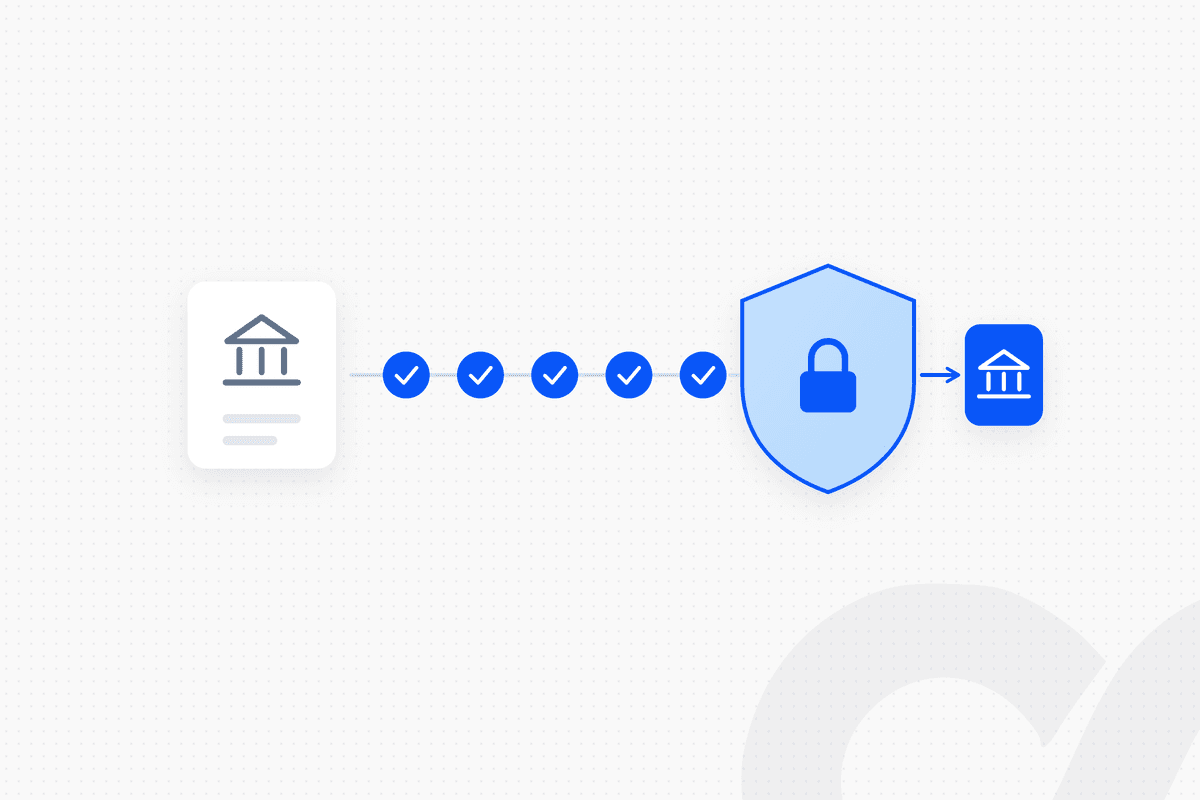
Vendor bank account change verification works best as a fixed workflow, not an inbox judgment. Every request to change a vendor's bank details goes through five steps: log the request without changing anything, verify it by calling a contact you already hold, have a second person approve it, update the vendor master with a full log, and hold the first payment to the new account for review. The control does not depend on spotting a fake email. It depends on verification through a channel the requester does not control, which is why a rule handles this better than a model.
Key takeaways
- Business email compromise is common. In the AFP 2026 Payments Fraud and Control Survey, 74% of U.S. organizations surveyed were affected by BEC in 2025 (AFP survey data).
- A bank-detail change request is unverified until proven otherwise, even when it comes from a real vendor mailbox.
- Verify out of band, with contact details you already hold. Never use the phone number or link in the request.
- A second person approves the change, and that person does not approve or release payments to the same vendor.
- Hold the first payment to a new account and release it only after review, then confirm receipt with the vendor's known contact once it lands.
- Nacha's 2026 fraud monitoring rules name vendor impersonation as a False Pretenses scenario that ACH Originators need risk-based processes to identify.
Why vendor bank-detail changes are a fraud target
A bank-detail change is the one vendor master edit that redirects real money, so it is the change fraudsters ask for. The request usually looks routine: a new bank, a new remittance address, a short note asking AP to update the records before the next payment run.
The scale is documented. The Association for Financial Professionals' 2026 Payments Fraud and Control Survey press release (April 14, 2026) reports AFP survey data from 465 treasury practitioners at U.S. organizations, collected in January 2026:
| AFP survey finding (2025 activity) | Share of organizations |
|---|---|
| Experienced attempted or actual payments fraud | 76% |
| Affected by business email compromise (BEC) | 74% |
| Use AI to combat payments fraud | 17% |
Source: AFP 2026 Payments Fraud and Control Survey, as reported in AFP's press release. AFP describes the BEC figure as "a significant increase from 2023 and 2024."
Nacha describes the typical scheme plainly. Its BEC response action plan says criminals send an email that "appears to come from a known source making a legitimate request," for example "a known company vendor will appear to send an invoice with an updated payment address or payment account information." Our Answer Library page on business email compromise and vendor payment fraud covers the wider scheme.
Why a rule handles this better than inbox judgment
Inbox judgment asks a person to decide whether an email is genuine. A rule makes that question irrelevant. A compromised vendor mailbox sends a real email from a real address, and a careful reader cannot tell the difference. Verification through a separate channel works either way.
That is the core of Nacha's prevention advice. Its action plan recommends "a two-step process with customers, vendors and business partners whereby any changes to account information or other payment instructions are confirmed outside of the communication method or channel requesting the change." It also warns that callers can spoof phone numbers, so "call the requester back on a known phone number."
The rule is simple, and it holds only if it runs every time. A five-step workflow with no skip path gives AP a way to say no to urgency without arguing with the requester.
The five-step control for vendor bank-detail changes
The control runs as a fixed sequence: request → out-of-band verification → second approver → vendor master update logged → first payment held. Each step has an owner and leaves evidence.
| Step | What happens | Owner | Evidence kept |
|---|---|---|---|
| 1. Log the request | Request recorded, nothing changed | AP | Original request, sender details, timestamp |
| 2. Verify out of band | Call a contact already on file | AP, not the approver | Who was called, the number used, the answer |
| 3. Second approval | Reviewer checks the evidence | A second person | Approval with name and timestamp |
| 4. Update and log | Vendor master changed | Restricted role | Old and new details, who changed them, when |
| 5. Hold the first payment | First payment held, released only after review, receipt confirmed after it lands | Payment approver | Release approval and the vendor's confirmation of receipt |
Step 1: Log the request without changing anything
Every bank-detail request is logged as a request, and nothing in the vendor master changes at this step. The request can arrive by email, phone, portal or letter. Each channel goes to the same queue, with the original message, the sender details and the time it arrived.
Two things are checked here: does the sender match the vendor's known contacts, and does the request carry urgency or secrecy? Neither result stops the workflow. Both are recorded for the reviewer.
Step 2: Verify out of band with a known contact
Verification uses contact details you already hold, never the ones in the request. Use the phone number in the vendor master, the signed contract or a prior verified invoice. Ask the contact to confirm the change and the new account details they expect, rather than reading the details to them.
If the contact cannot be reached, the request waits. An unverified request never moves forward because a payment run is coming. Our Answer Library page on onboarding a new vendor with W-9 and banking verification covers the same checks for new vendors.
Step 3: A second person approves the change
A second person, who did not receive or verify the request, reviews the evidence and approves or rejects the change. That reviewer sees the original request, the verification notes and the old and new details side by side. Nacha's plan recommends dual controls for approving certain transactions, and a bank-detail change is one of the highest-risk changes in the vendor master.
The approval request can go to Slack with the evidence attached, so the reviewer decides in one place. The approver should not also approve or release payments to the same vendor. Our page on why the person approving a vendor payment should never release it explains the separation.
Step 4: Update the vendor master and log the change
Only after approval does a restricted role update the vendor master, and the log keeps the old details, the new details, who changed them and when. Nobody else has edit access to vendor bank fields. A periodic report of every bank-detail change goes to someone outside AP for review.
Step 5: Hold the first payment to the new account
The first payment to a changed account is held, and it is released only after review. The payment approver confirms the change was approved in step 3 and checks that the amount matches the open invoices before releasing it. Once the payment lands, AP confirms receipt with the vendor's known contact, using the same contact details as in step 2.
Holding one payment costs a few days at most. A payment sent to the wrong account can be hard or impossible to recover, which is why Nacha's response plan tells victims to contact their bank immediately and ask it to reverse the transfer and freeze the receiving account.
Want to see this control running on your vendor master? Book a demo.
What Nacha's 2026 fraud monitoring rules add
Nacha's 2026 rules require ACH participants, including non-consumer Originators, to have risk-based processes to identify entries suspected of being unauthorized or authorized under False Pretenses. Phase 1 took effect on March 20, 2026, for all ODFIs and for large Originators and third parties. Phase 2, effective June 19, 2026, extends the requirement to all other non-consumer Originators, third-party service providers and third-party senders.
Nacha's rule page defines False Pretenses as "the inducement of a payment by a Person misrepresenting (a) that Person's identity, (b) that Person's association with or authority to act on behalf of another Person, or (c) the ownership of an account to be credited." It says the term covers "Business Email Compromise (BEC), vendor impersonation, payroll impersonation, and other payee impersonations." The processes must be reviewed at least annually.
A documented bank-detail change control supports a risk-based process for this scenario. Confirm with your bank how the rules apply to your company and what documentation it expects.
Common gaps in bank-detail change controls
Most failures come from a skip path, not from a missing policy. Watch for these five:
- The "urgent" exception. A request marked urgent goes straight to the vendor master. The workflow should have no urgent path.
- Calling the number in the email. The callback reaches the fraudster. Use only numbers already on file.
- One person doing everything. The same person takes the request, verifies it and makes the change.
- No log of old details. Without the previous bank details, nobody can see what changed or reverse it.
- Payments released in the same run. The new details are used in a payment run hours after the change, with no hold.
Duplicate payments are a related failure in the same vendor master. Our post on how to prevent duplicate vendor payments covers the matching rules.
Where Loopfour fits
Loopfour, the deterministic finance workflow automation platform, runs the bank-detail change control as a fixed workflow with no skip path. An AI agent decides what to do at runtime. Loopfour does only what was approved.
In a Loopfour workflow, every change request lands in one queue, the verification task goes to an AP owner, the approval goes to a second person in Slack with the evidence attached, and the vendor master update in NetSuite, QuickBooks, Xero or Sage Intacct happens only after approval. The first payment to the new account is held until the payment approver reviews and releases it, and a confirmation task goes to AP once it lands. Every step is recorded, so the audit trail shows who verified, who approved and when. Our AP approval workflow post shows how the same approval design works for invoices.
Frequently asked questions
How do you verify a vendor bank account change?
Treat the request as unverified, then contact the vendor through a channel you already hold, such as a phone number from the vendor master or the signed contract, never the one in the request. Have a second person review the evidence before the change is made, log the old and new details, and hold the first payment to the new account for review.
Is an email from a known vendor address enough to change bank details?
No. Business email compromise works by sending requests from a real but compromised mailbox or a look-alike address. Nacha's guidance is to confirm changes to payment instructions outside the channel that requested the change.
Who should approve a vendor bank-detail change?
A second person who did not receive or verify the request should approve it, and that person should not also approve or release payments to the same vendor. This keeps one compromised or careless step from moving money.
What should we do if we already paid a fraudulent account?
Contact your bank immediately and ask it to contact the receiving bank to reverse the transfer and freeze the account. Nacha's BEC response plan also says to report the crime to your local FBI field office and file a complaint with the FBI's Internet Crime Complaint Center (IC3).
Do Nacha's 2026 rules apply to companies that pay vendors by ACH?
Nacha's fraud monitoring rules took effect in two phases in 2026, March 20 and June 19, and Phase 2 extends them to non-consumer Originators beyond the Phase 1 volume threshold. The rules require risk-based processes to identify entries suspected of being unauthorized or authorized under False Pretenses, which include vendor impersonation. Confirm your obligations with your bank.
Can AI detect a fraudulent bank-change request?
AI can flag patterns such as a look-alike domain or an unusual request, and a person then reviews the flag. The control itself should not depend on detection. It depends on verification through a channel the requester does not control, which works whether or not the email looks suspicious.
Conclusion
Vendor bank account change verification is a sequence, not a judgment call: log the request, verify it with a contact you already hold, get a second approver, update the vendor master with a full log and hold the first payment. Run it the same way every time, with no urgent path, and a convincing email stops being enough to move your money.
Tell us the one workflow your team dreads. We will show it running. Book a demo.