
How to check usage data before a billing run: a pre-invoice checklist
Check usage data before billing with an eight-step pre-invoice checklist: missing events, duplicates, late usage, rate mapping, variance and sign-off.

Part of the subscription and usage billing guide.
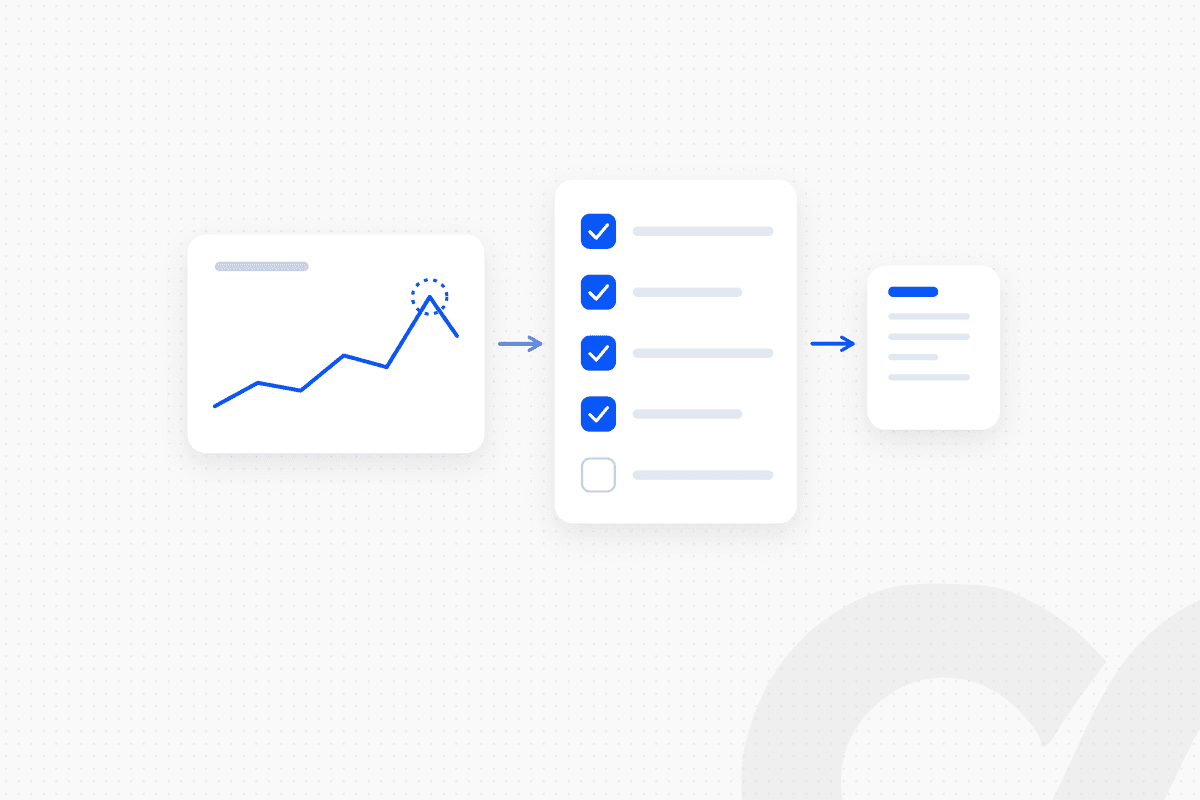
To check usage data before a billing run, run a fixed set of rules in the window between the end of the billing period and invoice finalization: confirm every active customer has usage, remove duplicate events, catch late and backdated events, map each meter to the contracted rate, compare each customer's total to the prior period, and have a named approver release the run. Each check produces a logged pass or fail. That log is what makes a usage invoice defensible when a customer questions it.
A usage invoice is only as accurate as the meter data behind it. Errors caught after the invoice goes out turn into credit notes, disputes and a longer wait for cash. This checklist covers the gate before billing. Reconciling invoices to the ledger after billing is a separate job.
Key takeaways
- The pre-invoice window is short. Stripe's default finalization grace period is one hour, extendable to up to 72 hours. Your checks have to fit inside it.
- Late usage does not fix itself. Stripe can accept usage after an invoice finalizes without adding it to that invoice or the next one, so a late feed becomes lost revenue.
- Eight checks cover most usage errors: completeness, duplicates, late events, rate mapping, units, variance, contract changes and approval.
- Every check is a fixed rule with a logged result, so the same data gives the same answer on every run.
- People review exceptions, not every invoice. A named approver releases the run; flagged customers wait for a decision.
Why usage invoices go wrong before they go out
Usage invoices go wrong because the meter data arrives asynchronously, from systems finance does not own, under a deadline set by the billing system. A seat-based invoice is the same every month. A usage invoice is rebuilt from thousands of events each period.
Three properties of the data make this hard. First, the usage pipeline is usually owned by engineering, so finance sees the output, not the logic. Second, events arrive late. Stripe's documentation states that it processes meter events asynchronously, so "aggregated usage in meter event summaries and on upcoming invoices might not immediately reflect recently received meter events." Third, the billing system will finalize on schedule whether the data is complete or not.
The fix is a gate, not a heroic review. A predefined set of rules gives the same result every run, and the log shows an auditor exactly what was checked.
When should you check usage data before billing?
The check runs after the billing period closes and before invoices finalize. In Stripe Billing, that window is the invoice finalization grace period.
Per Stripe's documentation on the finalization grace period, all invoices have a default grace period of one hour, and you can set a delay of up to 72 hours. During that period you can still report usage for the previous billing period. Only subscription cycle invoices and subscription schedule phase transition invoices include usage reported in the window. Threshold invoices reflect only usage recorded before the invoice is created.
The timeline for one billing run:
period ends → usage export frozen → checks run → exceptions routed to owners → approver releases the run → invoices finalize → invoices sent and posted to the ERP
If your checks take longer than your grace period, lengthen the grace period or start the checks earlier with a mid-period dry run. Stripe also warns against a grace period longer than the service period. A daily service period should not have a grace period of 24 hours or more.
The pre-invoice checklist
The checklist has eight checks, each with a rule, a pass condition and an owner for failures. Run them in order, because later checks assume earlier ones passed.
| # | Check | Pass condition | Failure goes to |
|---|---|---|---|
| 1 | Completeness | Every active usage customer has events for the period | Engineering or data owner |
| 2 | Duplicates | No two events share an identifier or an identical fingerprint | Engineering or data owner |
| 3 | Late and backdated events | All events dated inside the period arrived before the cutoff | Billing owner |
| 4 | Rate mapping | Every meter maps to the contracted price, tier and plan | Billing owner |
| 5 | Units and aggregation | Unit and aggregation method match the contract | Billing owner |
| 6 | Variance | Each customer's total is inside the agreed band versus the prior period | Account owner |
| 7 | Contract changes | Upgrades, downgrades and new terms in the period are reflected | Billing owner |
| 8 | Release | A named approver signs off on the run | Finance lead |
1. Completeness: does every active customer have usage?
Every customer with an active usage subscription should have usage events for the period, or a documented reason for zero. A customer with no events may have had a quiet month or a broken feed, and the check finds out which before the invoice goes out.
Compare the list of active usage subscriptions against the list of customers with events. Any customer with zero usage, or with no events in the final days of the period, becomes an exception. Check the event count by day as well. A gap of several hours across all customers points to a pipeline outage, not a change in customer behavior.
2. Duplicates: is any usage counted twice?
Each usage event should be counted once, which means checking identifiers and event content, not only the billing system's own deduplication. Duplicates overbill, and an overbilled invoice comes back as a dispute and a credit note.
Stripe's API reference states that it enforces uniqueness on a meter event's identifier "within a rolling period of at least 24 hours," mainly to handle accidental retries. That protects against a retry loop. It does not catch a batch that was resent two days later with new identifiers. Check for events with the same customer, meter, timestamp and value, and route any cluster of them to the data owner.
3. Late and backdated events: did everything arrive in time?
Every event dated inside the period has to reach the billing system before the invoice finalizes, or it will not be billed. This is the check that protects revenue, not just accuracy.
Stripe accepts meter events with a timestamp within the past 35 calendar days and no more than five minutes in the future. Acceptance is not the same as billing. Stripe's documentation states that it "might accept an event after finalization and include it in meter summaries without updating the finalized invoice or adding the usage to the next invoice." Compare the event count for the period in your source system against the count the billing system received. A shortfall means events are still in flight.
4. Rate mapping: is every meter tied to the contracted price?
Each meter should map to the price, tier and plan in the customer's signed contract, not the default list configuration. Negotiated rates are where usage invoices drift from the contract.
Pull the contracted rate for each customer and meter, and compare it to the price attached to the subscription item. Flag any customer on a default price who has a negotiated rate on file, any tier boundary that differs from the contract, and any meter that has usage but no price. A meter with usage and no price is unbilled revenue.
5. Units and aggregation: is the quantity measured the way the contract says?
The billed quantity should use the same unit and aggregation method the contract names: a sum, a maximum, or the last value in the period. A contract that bills peak seats cannot be invoiced from a sum of daily seat counts.
Check the meter's aggregation setting against the contract language for each priced meter. Check units too: gigabytes against gibibytes, calls against thousands of calls. Stripe notes that meter values accept decimals and that if overall cycle usage is negative, it reports the line item quantity as zero. A negative total almost always means a correction was sent with the wrong sign.
6. Variance: is each customer's total inside the expected band?
Compare each customer's usage to the prior period and flag anything outside a set band, in both directions. A spike may be real growth or a duplicate feed. A drop may be churn or a broken integration.
Use two thresholds together: a percentage change and an absolute amount. The percentage catches proportional swings. The amount floor stops small accounts from flooding the queue. Flagged customers go to the account owner with the prior and current totals attached, because the account owner knows whether the customer launched a new product this month.
7. Contract changes: does the period reflect what changed?
Any upgrade, downgrade, renewal or new rate signed during the period should show up on the invoice for that period. Mid-period changes are where usage billing and the contract most often disagree.
List every contract amendment dated inside the period and confirm the subscription changed on the right date. Stripe documents one specific trap: if a subscription item's price changes mid-cycle, the grace period does not capture late usage, and usage reported during the grace period does not appear on current or subsequent invoices. Customers with a mid-cycle price change need their usage complete before the period ends.
8. Release: who signs off on the run?
A named approver releases the run after every other check passes or each exception has a recorded decision. The approver signs off on the run, not on each invoice.
The approval record should hold the run date, the number of invoices and the total amount, the list of exceptions with each decision, and the approver's name and timestamp. If an exception cannot be resolved inside the window, the approver holds that customer's invoice and lets the rest of the run go.
A worked example: three customers, one variance band
This hypothetical example shows how the variance check separates normal growth from two data problems. The figures are invented for illustration. The band is plus or minus 25% against the prior period, with a floor of 10,000 API calls.
| Customer | Prior period (API calls) | Current period (API calls) | Change | Result |
|---|---|---|---|---|
| Customer A | 120,000 | 126,000 | +5% | Pass |
| Customer B | 40,000 | 92,000 | +130% | Hold for review |
| Customer C | 18,000 | 0 | -100% | Hold for review |
Customer A passes and releases with the run. A change of 6,000 calls is inside both the percentage band and the floor.
Customer B fails the band. The account owner confirms a new integration went live mid-month, which explains part of the rise. The duplicate check finds the rest: 32,000 calls resent from a retried batch two days later, under new identifiers. The approver removes them, and the customer is billed for 60,000 calls, a 50% rise the account owner has explained.
Customer C fails on a drop to zero. The completeness check flagged it too: events stopped arriving four days before period end. Engineering restores the feed, the missing events are sent with their original timestamps inside the grace period, and the invoice finalizes with the full period's usage.
Without the gate, the run would have overbilled one customer and underbilled another.
What the pre-invoice gate looks like as a workflow
The pre-invoice gate is a predefined workflow that runs the same checks on every billing run and routes only the failures to people. Nothing about it requires judgment until a check fails.
Loopfour, the deterministic finance workflow automation platform, builds this gate on the stack you already run: the usage source, Stripe or another billing system, the ERP, and Slack for approvals.
billing period ends → usage export pulled and frozen → eight checks run on fixed rules → each failure posted to Slack with prior and current totals → owner records a decision → approver releases the run → invoices finalize → invoices posted to NetSuite, QuickBooks, Xero or Sage Intacct → execution tree stores every check result
Every step is deterministic. No model estimates the usage or picks the rate, and the execution tree gives your auditors a record of what was checked, what failed and who released it. We build it, run it and maintain it, so a new meter or a changed export format is our change to make.
If your billing run depends on someone eyeballing a spreadsheet in the last hour of the grace period, book a workflow review and we will map the gate on your own usage data.
How to choose your checks and thresholds
Start with the checks that protect the most revenue, then add the ones that prevent the most disputes. Not every company needs all eight on day one.
- One meter, list prices, few customers: completeness, duplicates and variance cover most of the risk. A simple export comparison is enough.
- Negotiated or tiered rates: add rate mapping and contract changes. These are where invoices drift from the contract.
- High event volume or several usage sources: add late-event counts by source and lengthen the grace period. More sources mean more places for events to arrive late.
- Usage that feeds revenue recognition: keep the approval log with the invoice. The same evidence supports the revenue entry.
Set thresholds from your own history, not a benchmark. Run the variance check against the last six periods without holding anything, count how many customers it would have flagged, and tune the band until the queue holds real problems. The usage metering article covers how to design the meters themselves.
What to do after the run
After the run, reconcile the billing system to the ERP. The gate makes the invoices right; the reconciliation proves the ledger agrees. See how to reconcile when your billing system and ERP disagree on invoice totals, or for Rillet, how to reconcile Rillet usage records against the general ledger. The Subscription & Usage Billing hub collects the rest.
Frequently asked questions
How do I make sure usage-based invoices are accurate before they go out?
Run a fixed set of checks on the usage data after the billing period ends and before invoices finalize. Confirm every active customer has usage, remove duplicates, catch late events, map each meter to the contracted rate, compare each customer to the prior period, and have a named person release the run. Log the result of every check.
How long do I have to fix usage before a Stripe invoice finalizes?
Stripe gives every invoice a default finalization grace period of one hour, and you can extend it to up to 72 hours. Subscription cycle invoices include usage reported during that window. Usage reported after finalization is not added to that invoice or the next one, according to Stripe's documentation.
What variance threshold should trigger a review of a usage invoice?
There is no standard figure. Set a percentage band per customer segment based on how volatile usage normally is, and add an absolute amount floor so small accounts do not flood the queue. Review the threshold each quarter against the exceptions it produced.
Can Stripe deduplicate usage events on its own?
Partly. Stripe enforces uniqueness on a meter event's identifier within a rolling period of at least 24 hours, which handles accidental retries. Duplicates sent days apart, or sent with different identifiers, still need a check on your side before the billing run.
Should every usage invoice be reviewed by a person before it is sent?
No. A person should review the exceptions, not every invoice. Invoices that pass every rule release automatically once a named approver signs off on the run, and only the flagged customers wait for a decision.
Conclusion
To check usage data before a billing run, run eight fixed checks in the window before invoices finalize: completeness, duplicates, late events, rate mapping, units, variance, contract changes and a named release. A usage invoice that passed a logged gate is one you can defend. One that went out on whatever arrived in time is one you will correct later with a credit note.
Tell us the one workflow your team dreads. We will show it running. Book a demo.
Sources
- Stripe Documentation: Record usage for billing with the API
- Stripe Documentation: Configure an invoice finalization grace period
- Stripe API reference: Create a billing meter event