
Procure-to-pay workflow, step by step: where automation belongs and where a person signs off
The procure-to-pay process from requisition to reconciled payment: what to automate at each step, the control that protects it and who signs off.

Part of the spend and expense management guide.
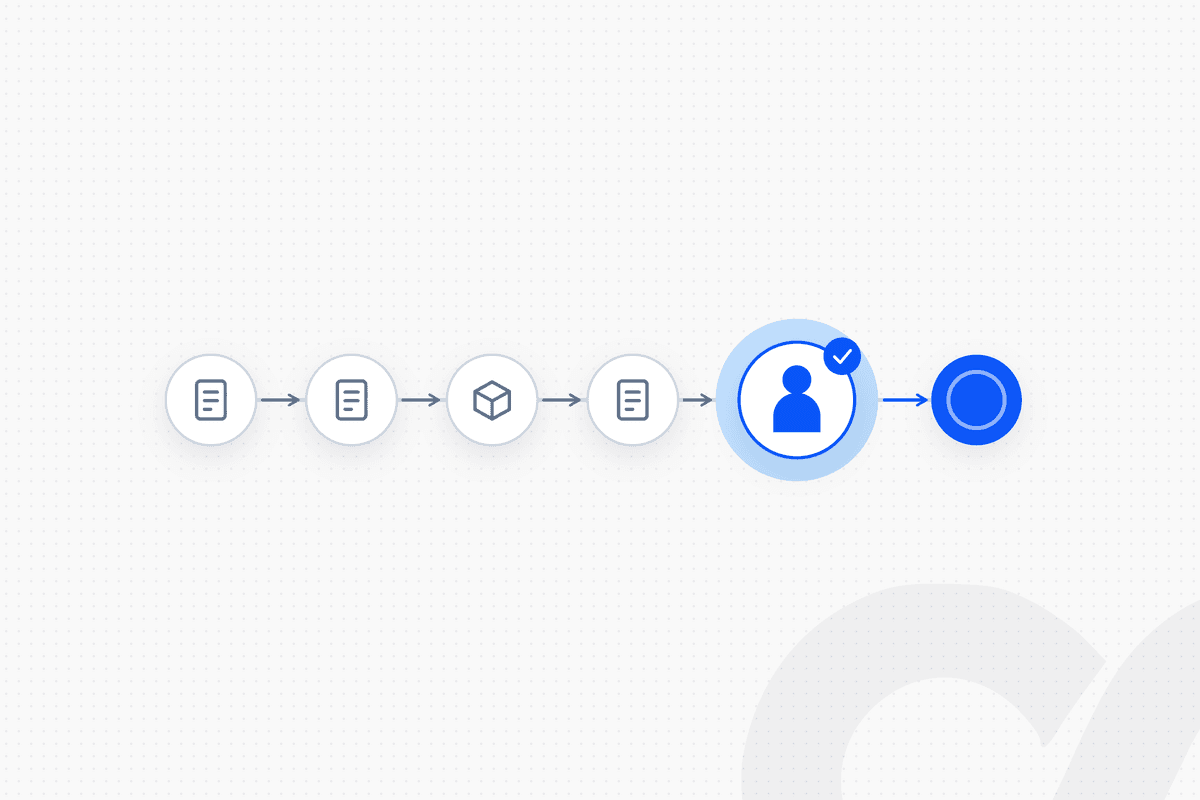
The procure-to-pay process runs from a purchase request to a reconciled payment: requisition → approval → purchase order → receipt → invoice → match → payment → reconciliation. Automation belongs at every step that follows a written rule, and a named person signs off wherever money is committed, received or released. That means routing, PO creation, invoice capture, matching within tolerance and payment selection can run unattended, while approvals, vendor bank changes, match exceptions and the payment batch stay with people.
Most procure-to-pay (P2P) failures don't happen inside a step. They happen at the handoffs between procurement, receiving and accounts payable, where a request was approved by one team, received by another and paid by a third. This playbook maps each stage, names the control and the owner, and marks which steps can run on their own.
Key takeaways
- The procure-to-pay process has eight stages, plus vendor setup before the first purchase, and every stage has one control and one owner.
- Automate the rule-following work: approval routing, PO creation, invoice extraction, matching within tolerance, payment selection and bank matching.
- Keep people where judgment or authority is needed: spend above a limit, new vendors and bank detail changes, match exceptions and the payment batch.
- The handoffs between procurement, receiving and AP are where control breaks, so each handoff passes a record, not an email.
- Separate the duties: the person who requests, approves, receives, enters and pays should not be one person at any step.
What is the procure-to-pay process?
The procure-to-pay process is the end-to-end flow a company uses to buy goods or services and pay for them, from the purchase request to the reconciled payment. It joins procurement (what to buy, from whom, at what price) with accounts payable (checking the invoice and paying it). For the definition and its terms, see what is the procure-to-pay process.
Procure-to-pay is the spend side of the business. Order-to-cash is its mirror image on the revenue side.
Why procure-to-pay breaks at the handoffs
Procure-to-pay breaks where one team hands work to another without a shared record. A request approved in email becomes a PO typed by hand. A delivery received on the loading dock or confirmed in a chat thread never reaches the system. An invoice arrives at AP with no PO number, and AP has to find out who ordered it.
Each of those handoffs is also a control gap. If the receipt isn't recorded, the three-way match has nothing to compare against. If vendor bank details change by email, the payment goes wherever the email said. The fix is the same at every handoff: the next step starts from the previous step's record, and the record carries who approved what.
The procure-to-pay workflow, step by step
Each stage below follows the same template: what happens, what can run automatically, the control and who signs off. Vendor setup comes first because every later step depends on a clean vendor record.
Step 0: Set up the vendor
Create the vendor record once, with verified tax and bank details, before the first PO goes out. Every later step trusts this record.
- Automate: collecting the W-9 or equivalent, checking for duplicate vendors, validating tax IDs.
- Control: bank details confirmed through a known contact, never only from the email that sent them.
- Signs off: the vendor master owner, who is not in AP payments.
Step 1: Requisition
A requester submits what they need, from whom, for how much and for which budget line. The requisition is the first record and the one every later step points back to.
- Automate: the request form, default coding from the item or category, budget check against remaining budget.
- Control: every request names a budget owner and a cost center.
- Signs off: nobody yet; the request moves to approval.
Step 2: Approval
Route the requisition to the right approver by amount, category and cost center, using a written approval matrix. Routing is a rule. The approval itself is a person's decision.
NetSuite shows how this works in practice. In its Requisition Approval Workflow, part of the Advanced Procurement SuiteApp, Oracle's example is a requisition of 1,400.75 from an employee whose purchase limit is 1,000.00: the request goes to a purchase approver whose approval limit (1,500.00) covers the amount (Oracle NetSuite, Requisition Approval Workflow). The rule picks the approver. The approver decides.
- Automate: routing by limit, reminders, escalation when an approver is out.
- Control: approval limits per person; no one approves their own request.
- Signs off: the budget owner, or the next approver up when the amount exceeds their limit.
For approval design that holds up in an audit, see how to set up an AP approval workflow that auditors accept.
Step 3: Purchase order
Create the PO from the approved requisition, without retyping, and send it to the vendor. The PO states the item, quantity, price and terms the company agreed to pay.
- Automate: PO creation from the approved requisition, PO numbering, sending to the vendor.
- Control: the PO can't exceed the approved amount; changes to a sent PO go back through approval.
- Signs off: the buyer, for PO terms that differ from the requisition.
For recurring spend with one vendor, a blanket PO with a ceiling and an end date replaces many small POs. See the difference between a standard PO and a blanket PO.
Step 4: Receipt
Record what was received, against the PO, when it arrives. For goods, that is an item receipt. For services, it is a confirmation from the person who received the service that it was delivered.
- Automate: receipt reminders to the requester, item receipts from a warehouse system, service confirmations as one-click requests.
- Control: the person confirming receipt is not the person who will pay the invoice.
- Signs off: the receiver or the requester.
This stage is often skipped for services, which is why many services invoices end up approved on trust.
Step 5: Invoice
Capture the vendor invoice in one AP inbox, extract its data and link it to the PO. AI extracts the fields from the document; fixed rules check them.
- Automate: capture, extraction of header and line data under a confidence threshold, vendor and duplicate checks, PO lookup.
- Control: low-confidence fields and failed checks stop the invoice; non-PO invoices take coding from an approved rule table.
- Signs off: an AP specialist for anything extraction or the checks couldn't confirm.
Step 6: Match
Compare the invoice with the PO and the receipt, and route only the differences outside tolerance to a person. A two-way match (invoice to PO) suits services and low-risk spend; a three-way match (invoice, PO and receipt) suits goods. See whether you need a two-way or three-way match.
NetSuite's 3 Way Match Vendor Bill Approval Workflow validates the bill against the purchase order and the item receipt, checking terms, location, quantity and amount against tolerance levels, and bills with discrepancies are automatically routed to the assigned supervisor (Oracle NetSuite, 3 Way Match Vendor Bill Approval Workflow). The tolerance itself is a policy choice; see what PO price tolerance is and how to set it.
- Automate: the match, the tolerance check and exception routing.
- Control: tolerances set by the controller; exceptions can't be cleared by the person who entered the invoice.
- Signs off: the buyer or supervisor, for every exception.
For the method in detail, see how to do three-way matching for AP invoices.
Step 7: Payment
Select approved, matched, due invoices into a payment batch by rule, and have a person approve the batch before any money moves. Payment is where a control failure turns into a loss.
Business email compromise shows why. The FBI's Internet Crime Complaint Center received 21,442 business email compromise complaints in 2024, with close to $2.8 billion in reported losses, according to Nacha's summary of the IC3 2024 report. Many of those schemes rely on a changed bank account or a convincing payment request, which is why the payment step needs controls that don't depend on someone spotting a fake email.
- Automate: payment selection by due date and terms, grouping by payment method, holding the first payment to new bank details.
- Control: the batch approver did not create the bills or the batch; the person releasing at the bank is separate again.
- Signs off: the batch approver, then the payment releaser.
Step 8: Reconciliation
Match payments to the bank and tie the AP subledger to the general ledger every month. Reconciliation closes the loop and catches anything the earlier controls missed.
- Automate: bank line matching, AP aging to GL tie-out, aged open POs and receipts flagged.
- Control: reconciling items have owners and clearing dates.
- Signs off: the preparer and a separate reviewer at month-end.
Where automation belongs: the summary
Automation belongs wherever the step follows a written rule; a person signs off wherever money is committed, received or released. The table puts the whole workflow on one page.
| Stage | Runs on rules | Person signs off |
|---|---|---|
| Vendor setup | Duplicate and tax ID checks | Vendor master owner confirms bank details |
| Requisition | Form, default coding, budget check | Not yet |
| Approval | Routing by limit and category | Budget owner |
| Purchase order | PO created from the approved request | Buyer, for changed terms |
| Receipt | Reminders, item receipts | Receiver or requester |
| Invoice | Capture, extraction, checks | AP specialist, for failed checks |
| Match | Two- or three-way match within tolerance | Buyer or supervisor, for exceptions |
| Payment | Selection, grouping, new-bank-detail hold | Batch approver, then releaser |
| Reconciliation | Bank and subledger matching | Preparer and reviewer |
Read the right-hand column as your segregation of duties map. If one name appears in three rows, that is the first thing an auditor will ask about.
How Loopfour runs procure-to-pay
Loopfour builds the procure-to-pay workflow as predefined steps on your existing stack, and runs and maintains it as a managed service. The ERP stays the system of record, whether that is NetSuite, Sage Intacct, QuickBooks or Xero. Approvals happen in Slack, with the request, the PO and the match result attached.
requisition submitted → routed by approval matrix → approved in Slack → PO created in the ERP → receipt confirmed → invoice extracted by Invoice Agent (confidence-checked) → three-way match within tolerance → exceptions to the buyer → payment batch built → batch approved → payments matched to the bank → execution tree records every step
Loopfour, the deterministic finance workflow automation platform, uses AI for one scoped task in this chain: extracting data from invoice documents, under a confidence threshold, with a person reviewing anything below it. Every other step is fixed logic that your team approved. Loopfour is SOC 2 Type II certified and SOC 1 Type I certified, and signs Business Associate Agreements (BAAs) with customers.
Want to see where your P2P handoffs break? Book a workflow review and we will map your current flow stage by stage.
How to decide what to automate first
Start at the handoff where the most work waits today. Count invoices without a PO, POs without a receipt and exceptions found during the payment run. The biggest pile is the first workflow.
- Many invoices without a PO: start with requisition routing and PO creation, so purchases get a PO before the invoice arrives.
- Many POs without receipts: start with receipt reminders and one-click service confirmations.
- Exceptions found at payment time: start with invoice capture and matching, so exceptions surface when the invoice arrives.
- Concern about payment fraud: start with vendor setup and the new-bank-detail hold, before anything else.
Procurement suites and horizontal automation platforms can cover parts of this, and they are flexible. The question to ask any approach is who owns each rule, who maintains it when a system changes and whether every step leaves a record an auditor can follow.
Frequently asked questions
What are the steps in the procure-to-pay process?
The procure-to-pay process runs from a purchase requisition to a reconciled payment. The usual steps are requisition, approval, purchase order, goods or services receipt, vendor invoice, matching, payment and reconciliation, with vendor setup as a prerequisite before the first purchase.
Which procure-to-pay steps can be automated?
Steps that follow a written rule can run unattended, such as routing a requisition by amount, creating a PO from an approved requisition, capturing and extracting invoice data, matching within tolerance, selecting bills for a payment run and matching payments to the bank. Approvals, exceptions and vendor bank changes stay with people.
Where does a person need to sign off in procure-to-pay?
A person signs off on the requisition above their own limit, on new vendors and bank detail changes, on goods or services received, on match exceptions outside tolerance, on the payment batch and on the month-end reconciliation. Each sign-off should be by someone other than the person who prepared the step.
What is the difference between procure-to-pay and accounts payable?
Accounts payable is one part of procure-to-pay. Procure-to-pay starts earlier, with the purchase request, approval and purchase order, and includes receiving. AP takes over at the vendor invoice and runs through matching, payment and reconciliation.
Do all purchases need a purchase order in procure-to-pay?
No. Many companies require a PO above an amount threshold or for specific categories, and handle recurring low-value spend such as utilities and subscriptions without one. Non-PO invoices still need coding rules and an approver, because they skip the controls a PO provides.
How does a three-way match fit into procure-to-pay?
The three-way match compares the vendor invoice with the purchase order and the receipt before the bill is approved for payment. It confirms you are paying for what you ordered and received, at the agreed price. Differences within a set tolerance pass; anything outside goes to the buyer or a supervisor.
Conclusion
The procure-to-pay process works when every stage starts from the record the previous stage left behind, and every stage has one control and one owner. Automate routing, PO creation, extraction, matching, payment selection and bank matching. Keep people on approvals, vendor bank changes, exceptions and the payment batch. The handoffs stop being gaps, and every payment traces back to an approved request.
Tell us the one workflow your team dreads. We will show it running. Book a demo.