
NetSuite AP automation: how to automate vendor bills from capture to payment run
NetSuite AP automation, step by step: capture, coding, approval, three-way match, posting and the payment run, with the human control point at each step.

Part of the accounts payable and invoice processing guide.
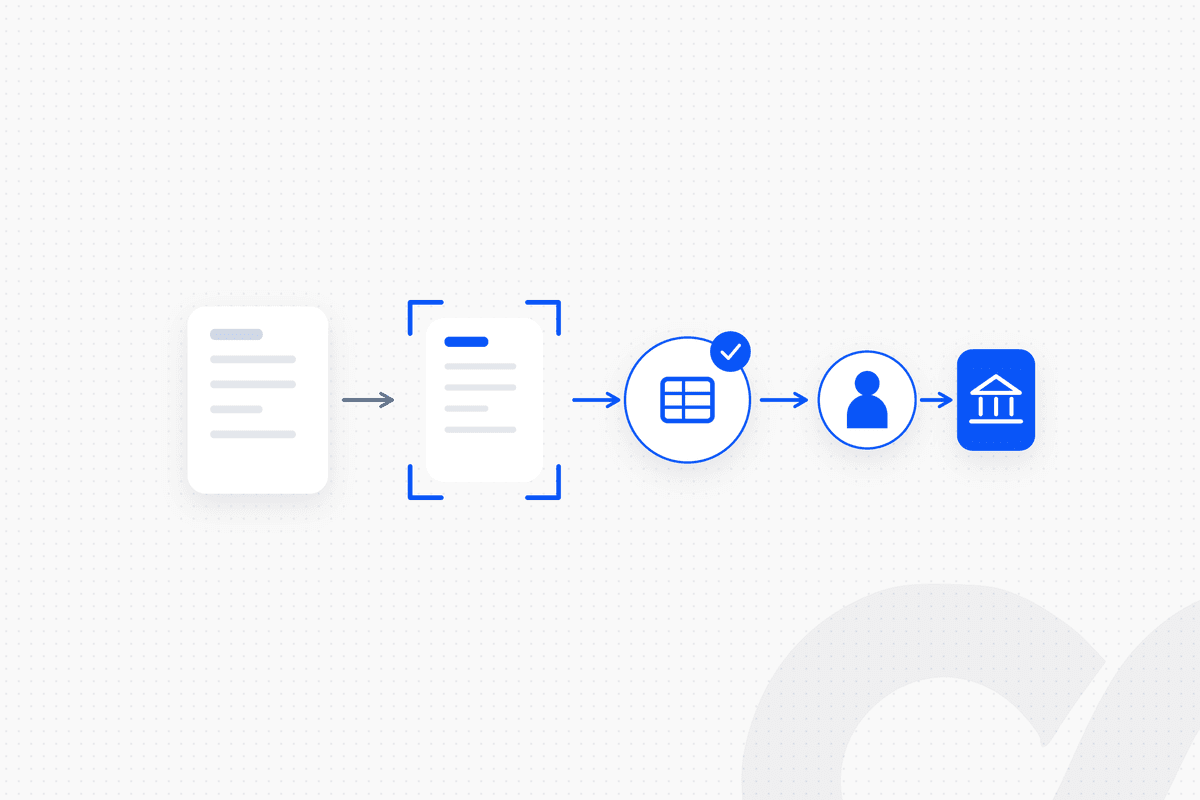
NetSuite AP automation means running each step between a vendor's invoice and the payment run on fixed, approved rules: capture the bill, extract its data, code it, route it for approval, match it to the purchase order and receipt, post it, and pay it in an approved batch. AI extracts the invoice data. Fixed logic does everything after that. A named person signs off at each control point, so every bill in NetSuite traces back to an approved rule or an approved exception.
Many AP teams on NetSuite lose time around the ledger, not in it: invoices sitting in a shared inbox, coding from memory, approvals chased by email and match failures found the day before the payment run. Auditors look at the same gaps. This playbook walks the full flow in NetSuite order and names the human control point at each step.
Key takeaways
- NetSuite AP automation is a chain: email or PDF → extraction → GL coding rule → approval in Slack → three-way match → bill posted → payment batch approved.
- NetSuite covers parts of the chain natively. Bill Capture creates bills from PDF, JPEG and PNG files, the 3 Way Match Vendor Bill Approval Workflow checks bills against the PO and receipt, and payment batches wait for a listed approver.
- AI belongs at one step only: extracting data from the invoice document, under a confidence threshold, with a person reviewing anything below it.
- Every other step runs on approved rules for coding, approval routing, tolerances and payment selection, and each rule has an owner who approves changes to it.
- The control points are where a person signs off: new vendors, coding outside the rules, approvals above a limit, match exceptions and the payment batch.
What NetSuite AP automation covers
NetSuite AP automation covers every step a vendor bill passes through, from the moment it arrives to the moment it is paid and reconciled. The table shows each step, what runs on rules and where a person signs off.
| Step | What runs automatically | Human control point |
|---|---|---|
| 1. Capture | Bills collected from the AP inbox and uploads | AP specialist reviews low-confidence fields |
| 2. Extract and validate | Vendor, invoice number, dates, lines and totals extracted; duplicates checked | Vendor master owner approves new vendors and bank detail changes |
| 3. GL coding | Accounts, departments and subsidiaries assigned by rule | Controller owns the coding rule table |
| 4. Approval | Routing by amount, department and subsidiary | Budget owner approves in Slack |
| 5. Three-way match | Bill compared with PO and item receipt within tolerance | Buyer or supervisor resolves exceptions |
| 6. Post | Vendor bill created in NetSuite with the approval record | Period lock and posting identity owned by the controller |
| 7. Payment run | Approved, due bills selected into a batch | Batch approver signs off; a separate person releases at the bank |
| 8. Reconcile | AP aging tied to the GL; payments tied to the bank | Accountant signs off at month-end |
The line between the two right-hand columns is the design decision. Anything that follows a written rule runs on its own. Anything that needs judgment goes to a named person with the bill and the context attached.
Why NetSuite AP needs fixed logic, not an AI agent
An AI agent decides what to do at runtime. Loopfour does only what was approved. For accounts payable, that difference is the audit. A bill posted by fixed logic can be explained line by line: which rule coded it, who approved it, what it matched and when it was paid.
AI is useful in AP for one narrow job: turning an unstructured invoice into structured fields. NetSuite uses the same split. Oracle's Help Center says Bill Capture uses the OCI Document Understanding model to extract key values from vendor bills, and a bill is created after the scanned details are reviewed (Oracle NetSuite, Bill Capture). Loopfour, the deterministic finance workflow automation platform, builds the AP chain the same way: extraction produces a draft, and only a rule or a named approver turns it into a record.
How to automate NetSuite vendor bills, step by step
Build the chain in order, because each step depends on clean output from the one before it. Coding fails on a misread vendor, approvals stall on wrong coding, and a match fails on a bill posted without its PO reference.
Step 1: Capture every bill in one place
Send every vendor invoice to one AP inbox or upload point, and treat anything that arrives elsewhere as an exception. Bills sent to a buyer's personal inbox are the ones paid late or paid twice.
NetSuite's Bill Capture accepts bills as PDF, JPEG or PNG files, uploaded or emailed, and scanned files wait for review before a bill is created. Bills from a vendor portal or an EDI feed enter the same queue, so the rest of the chain sees one source.
Control point: an AP specialist owns the inbox and clears anything that is not an invoice (statements, reminders, marketing) before extraction.
Step 2: Extract the data and validate it against NetSuite
AI extracts the header and line data from the document, and fixed rules check every extracted field against NetSuite records before anything else happens. The checks:
- Vendor match: the extracted vendor name and tax ID match one active vendor record.
- Duplicate check: no open or paid bill exists for the same vendor and invoice number.
- PO reference: if the invoice cites a PO, that PO exists, is open and belongs to the same vendor and subsidiary.
- Arithmetic: line totals, tax and the invoice total add up.
- Bank details: the remittance details on the invoice match the vendor record.
Any field below the confidence threshold, and any failed check, stops the bill. Control point: the vendor master owner approves new vendors and any change to bank details, and confirms the change through a known contact before the vendor record is updated.
Step 3: Code the bill with an approved rule table
PO-backed bills take their coding from the purchase order lines, and non-PO bills take it from a rule table the controller approves. Nobody types an expense account from memory.
A typical rule order for non-PO bills: vendor default account → rule by vendor and item description → rule by department and amount → exception. A first bill from a new vendor with no rule goes to a person. For the detail of building those rules, see how to automate invoice GL coding in AP.
Control point: the controller owns the rule table. A change to a rule is itself approved and logged, so the coding on any bill can be traced to the rule version that produced it.
Step 4: Route the approval to the right person, in Slack
Route each bill by amount, department and subsidiary to the budget owner, and send the approval request where that person already works. A request in Slack with the bill image, the coding and the PO status attached gets answered faster than one buried in email.
The routing comes from your approval matrix: who can approve what, up to which amount, for which cost center. If you don't have one written down, start with how to build an approval matrix for AP. NetSuite's approval routing and SuiteApprovals can hold the same rules, and Oracle notes they keep applying to bills created through Bill Capture.
Control point: the budget owner approves. The person who entered or coded the bill never approves it, and the approval (who, when, which version) is written back to the bill. For approval design that holds up in an audit, see how to set up an AP approval workflow that auditors accept.
Step 5: Run the three-way match within set tolerances
For PO-backed bills, compare the bill with the purchase order and the item receipt, and route only the differences outside tolerance to a person. Three-way matching is where AP catches overbilling, short shipments and price changes no one approved.
NetSuite provides this as the 3 Way Match Vendor Bill Approval Workflow, included in the NetSuite Approvals Workflow SuiteApp. Per Oracle's documentation, the workflow validates the bill against its purchase order and item receipt, checking terms, location, quantity and amount against tolerance and difference levels, and bills with discrepancies are routed to the assigned supervisor. Oracle's example is useful for setting tolerances: a PO for 100 units at 1,000 and a bill for 97 units at 970. With only an amount tolerance of 0.10 applied, the bill is approved automatically. With a quantity difference limit of 2 applied, it is routed for review.
Oracle also lists one limitation: partially received item receipts are not supported by that workflow. If your team receives in partial shipments, the match for those bills needs its own rule or a person. For the common causes of failed matches, see what causes a three-way match failure, and for the method itself, how to do three-way matching for AP invoices.
Control point: the controller sets the tolerances. The buyer or supervisor resolves each exception, and the resolution (accept, reject, request a credit memo) is logged on the bill.
Step 6: Post the bill to NetSuite with its evidence
Create or release the vendor bill in NetSuite only after it has passed validation, coding, approval and match, and attach the evidence to it. The bill record should carry the original document, the approval record and the match result.
Post under a dedicated integration identity, not a person's login, so the audit trail separates the workflow that created the bill from the person who approved it. A bill dated in a locked period goes to the controller instead of posting.
Control point: the controller owns the posting identity, its permissions and the period lock.
Want to see this chain on your own NetSuite account? Book a workflow review and we will map your current AP flow, step by step.
Step 7: Build the payment run from approved, due bills
Select bills into the payment batch by fixed rules, then have a listed approver approve the batch before any payment is created. Payment selection is a rule: approved, unpaid bills due on or before the next run date, grouped by payment method and bank account, with any bill on hold excluded.
NetSuite supports approval at the batch level. According to Oracle's page on approving payment batches, only people on the approver list see the Approve and Reject buttons, a batch isn't submitted for processing until it is approved, and payments are created after approval.
Two rules protect the run. The first payment to a vendor whose bank details changed is held for a separate review. And the person who approves the batch is not the person who releases the payment at the bank.
Control point: a batch approver signs off on the batch total and the exception list; a separate person releases the payment.
Step 8: Reconcile AP to the general ledger and the bank
Tie the AP aging report to the AP control account and match payments to the bank every month, so the chain closes where it started. If the totals don't agree, the usual causes are bills posted directly to the GL, unapplied vendor credits and cutoff timing, and each has a fixed check.
Control point: an accountant prepares the reconciliation and a reviewer signs it off at month-end.
How Loopfour runs NetSuite AP
Loopfour builds the AP chain as predefined workflows in Loopfour Studio, on your existing NetSuite account, and runs and maintains it as a managed service. We build it, run it and maintain it. Your team approves the rules and the exceptions.
The flow in a typical build:
vendor email arrives → Invoice Agent extracts fields (confidence-checked) → vendor, duplicate and PO checks → coding rule applied → approval request in Slack → three-way match within tolerance → vendor bill posted to NetSuite with evidence → payment batch built → batch approved by a listed approver → payments reconciled → execution tree records every step
Every step is deterministic except the extraction, which runs under a confidence threshold with a person reviewing anything below it. Where NetSuite's native features already do the job, such as the 3 Way Match workflow, the build uses them. Where a vendor portal has no API, browser automation acts as a fallback. Loopfour is SOC 2 Type II certified and SOC 1 Type I certified, and signs Business Associate Agreements (BAAs) with customers.
If your AP runs on QuickBooks instead, the same chain applies with different native features. See how to set up QuickBooks AP automation.
How to decide where to start
Start with the step where the most bills wait today. For non-PO spend (software, services, utilities), that is usually capture and the coding rule table. For PO-heavy teams (inventory, equipment), it is the three-way match and tolerances. If the payment run is the pain, start with selection rules, batch approval and the bank detail hold.
Native NetSuite features and horizontal automation tools each cover parts of this and are flexible, but both leave your team to own the rules and the maintenance. Test any approach with the auditor's question: for this bill, which rule ran, who approved it and where is the evidence?
Frequently asked questions
Does NetSuite have built-in AP automation?
Yes, in parts. NetSuite offers Bill Capture for turning emailed or uploaded PDF, JPEG and PNG bills into vendor bills, a 3 Way Match Vendor Bill Approval Workflow in the NetSuite Approvals Workflow SuiteApp, and approval on bill payment batches. GL coding rules, approvals outside NetSuite, duplicate checks across sources and exception routing usually need workflow around those features.
How does three-way matching work in NetSuite?
The 3 Way Match Vendor Bill Approval Workflow compares a vendor bill with its purchase order and item receipt, checking terms, location, quantity and amount against tolerance levels you set. Bills with discrepancies outside tolerance are routed to the assigned supervisor. Oracle notes that partially received item receipts are not supported.
Can AI post vendor bills to NetSuite without a person checking them?
It should not. In a governed setup, AI does one scoped task, extracting data from the invoice document, and anything below a confidence threshold goes to a person. Fixed, approved rules then code, match and post the bill, and a named approver signs off on anything outside those rules.
Can vendor bills be approved in Slack and still post to NetSuite?
Yes, if the approval is recorded against the bill. The workflow sends the approver the bill, the coding and the match result in Slack, logs who approved and when, and only then creates or releases the bill in NetSuite. The record of the approval travels with the bill for the audit.
Who should approve the NetSuite payment batch?
Someone on the batch approver list who did not create the bills or the batch. NetSuite only shows the Approve and Reject buttons to people on the approver list, and it creates payments only after the batch is approved. Releasing the payment file at the bank should be a separate person again.
Conclusion
NetSuite AP automation works when the chain is built in order and every step has an owner: one capture point, extraction under a confidence threshold, coding from an approved rule table, approval by the budget owner, a three-way match within set tolerances, posting with evidence and a payment batch approved by someone who didn't build it. AI extracts the invoice data, fixed logic posts it and people sign off on the exceptions. That is what makes every vendor bill in NetSuite traceable when the auditor picks it.
Tell us the one workflow your team dreads. We will show it running. Book a demo.