
HubSpot, Stripe and Sage Intacct: a reference architecture for quote-to-cash
A quote-to-cash reference architecture for HubSpot, Stripe or Chargebee, and Sage Intacct: which system owns each field, and the check at every handoff.

Part of the finance integrations guide.
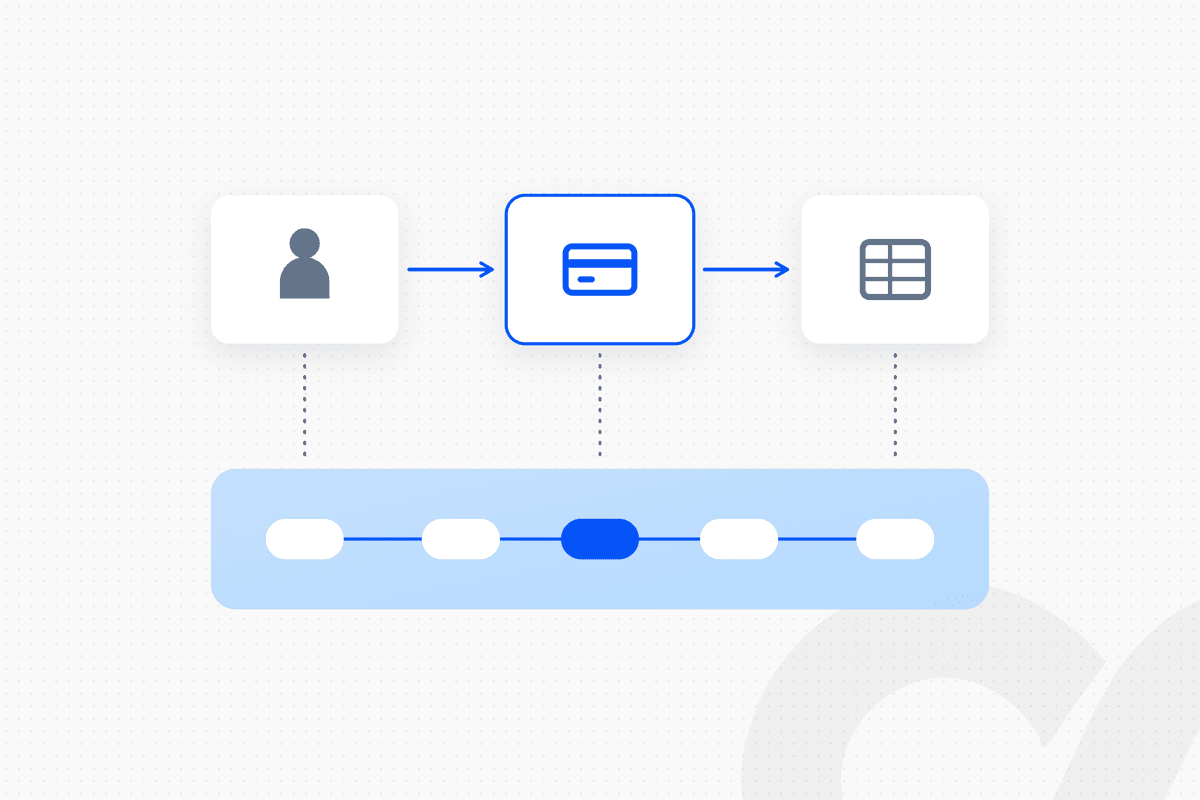
In a HubSpot, Stripe and Sage Intacct quote-to-cash stack, each system should own one part of the record. HubSpot owns the customer relationship, the deal and the approved quote. Stripe, or Chargebee in the same position, owns the subscription, the billing schedule, invoices and payment collection. Sage Intacct owns AR, the general ledger and the revenue schedule. Payment status flows back to HubSpot. The stack holds up when every field has one system of record and every handoff has a check.
Quote-to-cash breaks where ownership is unclear: a price edited in two places, a subscription that doesn't match the signed quote, a payment that never reaches the ledger. This post draws the architecture, assigns each field to a system and names the check that belongs at each handoff.
Key takeaways
- HubSpot owns the deal and the quote, the billing system owns the invoice, and Sage Intacct owns the ledger and the revenue schedule.
- Stripe and Chargebee both fit the billing position. Their HubSpot and Sage Intacct connection paths differ, so choose deliberately.
- HubSpot's Stripe payment processing does not create invoices or subscriptions in Stripe. If Stripe Billing is your billing system, you need a separate path from deal to subscription.
- Bill in one system only. Sage Intacct Contracts and the billing system can each run billing schedules; running both creates two versions of the truth.
- Every handoff needs a check: quote vs subscription, schedule vs invoice, payment vs AR and billing vs ledger.
The reference architecture at a glance
Quote-to-cash on this stack runs in five handoffs, from the HubSpot deal to the Sage Intacct ledger and back.
HubSpot deal → quote approved and signed → subscription and billing schedule created in Stripe (or Chargebee) → invoice issued → payment collected → invoice, payment and fees posted to Sage Intacct AR and the GL → revenue schedule in Sage Intacct → payment status and balance back to HubSpot
| Layer | System | What it does |
|---|---|---|
| CRM and quoting | HubSpot | Customer, deal, products, approved quote |
| Billing and payments | Stripe or Chargebee | Subscription, billing schedule, invoices, payment collection |
| Ledger and revenue | Sage Intacct | AR, GL, dimensions, revenue schedules, close |
| Approvals and exceptions | Slack | Review of new subscriptions, mismatches and write-offs |
HubSpot can also issue invoices and run subscriptions itself. This architecture assumes billing lives in a dedicated billing system, a design that suits contracts with ramps, usage or multiple entities.
Which system owns which field?
Each field needs exactly one system of record, and every other system reads from it. Two systems that can both edit a price will eventually disagree.
| Field | System of record | Read by |
|---|---|---|
| Customer name and parent account | HubSpot | Billing system, Sage Intacct |
| Billing contact and payment terms | Billing system | HubSpot, Sage Intacct |
| Products and list prices | HubSpot product library, mirrored to billing | Billing system |
| Quoted price, term and start date | HubSpot quote (signed) | Billing system |
| Subscription and billing schedule | Stripe or Chargebee | Sage Intacct, HubSpot |
| Invoice number, amount and status | Stripe or Chargebee | Sage Intacct, HubSpot |
| AR balance and aging | Sage Intacct | HubSpot |
| GL accounts and dimensions | Sage Intacct | Billing system (mapping only) |
| Revenue schedule | Sage Intacct (or the billing system's revenue module; pick one) | Reporting |
The two contested rows are payment terms and the revenue schedule. Decide both in writing before you build. For a deeper treatment, see which system is the source of truth for revenue: CRM, billing or ERP, and for matching records that don't share an ID, how to map fields between finance systems.
The five handoffs and the check at each
Each handoff below follows the same template: what moves, how it moves and the check that should run.
1. HubSpot quote → subscription in the billing system
The signed HubSpot quote becomes a subscription with a billing schedule. This is the handoff most stacks get wrong, because the connection path depends on which billing system you use.
- With Stripe: HubSpot can connect Stripe as its payment processor for invoices, payment links, quotes and subscriptions. HubSpot's documentation is explicit that in this setup "invoices and subscriptions created in HubSpot won't be created in Stripe"; instead, "payment data for each transaction, such as gross amount and fees, will sync with your Stripe account" (HubSpot). If Stripe Billing is your billing system, the deal-to-subscription step needs its own integration or workflow.
- With Chargebee: Chargebee's HubSpot Quote-to-Cash integration can "create subscriptions in Chargebee from deals automatically," and updates the HubSpot deal amount when a subscription syncs back (per Chargebee's HubSpot Quote-to-Cash release notes).
- Check: Compare the subscription's price, quantity, term and start date with the signed quote before the first invoice. Hold the first invoice on every new subscription for review.
Quote line items need the right recurring fields for this to work. See what breaks when a HubSpot quote line item is missing recurringbillingfrequency.
2. Subscription → invoices on schedule
The billing schedule decides when and how much to invoice, so ramps and future price changes belong in it from day one. Stripe's subscription schedules "automate changes to subscriptions over time," with up to 10 current or future phases (per Stripe's subscription schedules documentation). Chargebee supports contract terms on subscriptions created from HubSpot deals.
- Check: Each period, compare invoices issued with the schedule built from the quote, and flag any contract line with no invoice.
3. Payment → cash applied
The billing system collects card and ACH payments against its own invoices, and wires or checks often arrive outside it. Payments outside the billing system have to be applied to the right invoice somewhere, once.
- Check: Apply every payment in one place, then confirm the invoice is marked paid in both the billing system and Sage Intacct. Anything unmatched goes to an AR specialist with the candidates attached.
4. Billing system → Sage Intacct AR and GL
Invoices, payments, fees and credit notes have to reach Sage Intacct with the right customer, account and dimensions. The path differs by billing system.
- With Chargebee: Chargebee documents an automatic one-way sync of "invoices, customers, and other data from Chargebee to Intacct," and states that "invoices and related information will be synced once every 24 hours." With the offline payments option enabled, Chargebee "will read the AR payments in Sage Intacct and mark the invoice as PAID" (Chargebee).
- With Stripe: As of October 2026, a Sage Intacct Marketplace search for Stripe returns partner-built listings, such as Venn Technology's Stripe Sage Intacct Integration, Synder and Workato, and none published by Stripe or by Sage. Teams use one of those apps, an integration platform or a custom build against both APIs. Check current listings before you design around one.
- Check: Tie open invoices and payments between the billing system and Sage Intacct daily, on shared customer and invoice IDs. For payment application inside Sage Intacct, see how to set up Sage Intacct AR payment application.
5. Sage Intacct → revenue schedule, and status back to HubSpot
The revenue schedule should come from the same contract terms as the billing schedule, and the result should flow back to the CRM. Sage Intacct Contracts can schedule billing itself: for fixed-amount lines it "schedules the entire flat/fixed amount according to the selected Flat/fixed amount frequency," and for committed-quantity lines it "schedules the applicable billing amount when a usage record is added" (Sage Intacct). If Stripe or Chargebee already bills the customer, don't run billing schedules in Sage Intacct too.
- Check: Every new contract line in the ledger has a revenue schedule, and HubSpot shows the current invoice status and AR balance for every customer with an open renewal. For the HubSpot side of revenue, see how to connect HubSpot quotes for revenue recognition.
Stripe or Chargebee in the billing position?
Both are established subscription billing systems, and either can sit between HubSpot and Sage Intacct. The choice turns on the connection paths and on who maintains them.
| Stripe | Chargebee | |
|---|---|---|
| What it is | Payments platform with Stripe Billing for subscriptions and invoices | Subscription billing system |
| HubSpot connection | HubSpot can use Stripe as its payment processor; HubSpot invoices and subscriptions are not created in Stripe | HubSpot Quote-to-Cash integration creates subscriptions from deals and syncs amounts back |
| Sage Intacct connection | Marketplace apps, integration platforms or a custom build | Documented one-way sync to Sage Intacct, daily, with optional offline payment read-back |
| Ramps and schedule changes | Subscription schedules, up to 10 current or future phases | Contract terms on subscriptions |
| Strongest fit | Teams that want billing and payments in one platform and have engineering support | Teams that want quote-to-subscription inside HubSpot and a documented ledger sync |
Neither choice removes the need for checks. A daily sync moves records; it doesn't confirm the subscription matches the signed quote. For a wider view of billing tools, see what subscription billing software integrates with your ERP.
Where governed automation fits on this stack
Native connectors move records; governed automation moves them on approved rules and checks each one. Finance teams asking which platforms combine out-of-the-box ERP connectors with governed AI tooling are usually asking for both: the connection and the control around it.
Loopfour, the deterministic finance workflow automation platform, runs the five handoffs above as a managed workflow on HubSpot, Stripe or Chargebee, Sage Intacct and Slack. The flow on this stack:
signed HubSpot quote → terms compared with the new subscription → mismatch routed to finance in Slack → first invoice held for approval → invoices, payments and fees posted to Sage Intacct → daily tie-out on shared IDs → status written back to HubSpot → execution tree records every step
Every step runs on rules you approved. An AI agent decides what to do at runtime. Loopfour does only what was approved. AI is limited to one scoped task, extracting terms from a signed contract when the quote isn't the full record, under a confidence threshold, with a person reviewing anything below it. Loopfour is SOC 2 Type II certified and SOC 1 Type I certified, and signs Business Associate Agreements (BAAs) with customers. We build, run and maintain the workflow, so an API change in any of the four systems is our fix to make.
If you run this stack today, book a workflow review and we will map your five handoffs with you.
How to roll out the architecture
Roll out in the order that removes the most risk first: ownership, then billing position, then checks.
- Write the field ownership table. One system of record per field, agreed by sales ops, billing and accounting.
- Choose the billing position. Stripe or Chargebee, based on the connection paths above.
- Decide where revenue schedules live. Sage Intacct or the billing system's revenue module, not both.
- Pick a connection method for each handoff. Native integration, marketplace app, integration platform or managed workflow.
- Add the check at each handoff, with a named owner for every exception.
- Close the loop to HubSpot, so sales sees payment status before renewal conversations.
Frequently asked questions
What does each system own in a HubSpot, Stripe and Sage Intacct stack?
HubSpot owns the customer relationship, the deal and the approved quote. Stripe, or Chargebee in the same position, owns the subscription, the billing schedule, invoices and payment collection. Sage Intacct owns AR, the general ledger and, in most designs, the revenue schedule. Payment status flows back to HubSpot.
Does HubSpot create invoices in Stripe?
Not when Stripe is connected as HubSpot's payment processor. HubSpot's documentation says invoices and subscriptions created in HubSpot won't be created in Stripe; payment data such as gross amount and fees syncs to Stripe instead. If Stripe Billing is your billing system, you need a separate path from the HubSpot deal to the Stripe subscription.
Does Chargebee integrate with Sage Intacct?
Yes. Chargebee's documentation describes an automatic one-way sync of invoices, customers and other data from Chargebee to Sage Intacct, run once every 24 hours. If enabled, Chargebee can also read offline AR payments recorded in Sage Intacct and mark the matching invoices as paid.
Should I use Stripe or Chargebee with HubSpot and Sage Intacct?
Both fit the billing position. Stripe combines billing and payments in one platform with a developer-first API. Chargebee is a subscription billing system with a HubSpot Quote-to-Cash integration and a documented Sage Intacct integration. Choose by where quotes should become subscriptions and how much integration work your team wants to own.
Should billing live in Sage Intacct Contracts or in the billing system?
Pick one. Sage Intacct Contracts can generate billing schedules and invoices itself, and Stripe and Chargebee can too. Running billing schedules in both systems creates two versions of what the customer owes. One workable design is to bill in Stripe or Chargebee and keep revenue schedules in Sage Intacct.
What does governed automation add to native connectors?
Native connectors move records between systems. Governed automation adds the checks around them, such as comparing the quote with the subscription, holding the first invoice for review and routing exceptions to a named approver, with a record of every step for the audit.
Conclusion
A HubSpot, Stripe and Sage Intacct quote-to-cash stack works when each system owns its part of the record: HubSpot the deal and quote, Stripe or Chargebee the subscription and invoice, Sage Intacct the ledger and revenue. Write down who owns each field, bill in one place and put a check on every handoff. The connectors move the data; the checks make it something your auditor can trace.
Tell us the one workflow your team dreads. We will show it running. Book a demo.