
Blanket purchase orders: how to track drawdowns and match invoices to the remaining balance
How a blanket purchase order works: set the ceiling and term, draw each invoice down against the remaining balance, and stop overspend before it posts.

Part of the spend and expense management guide.
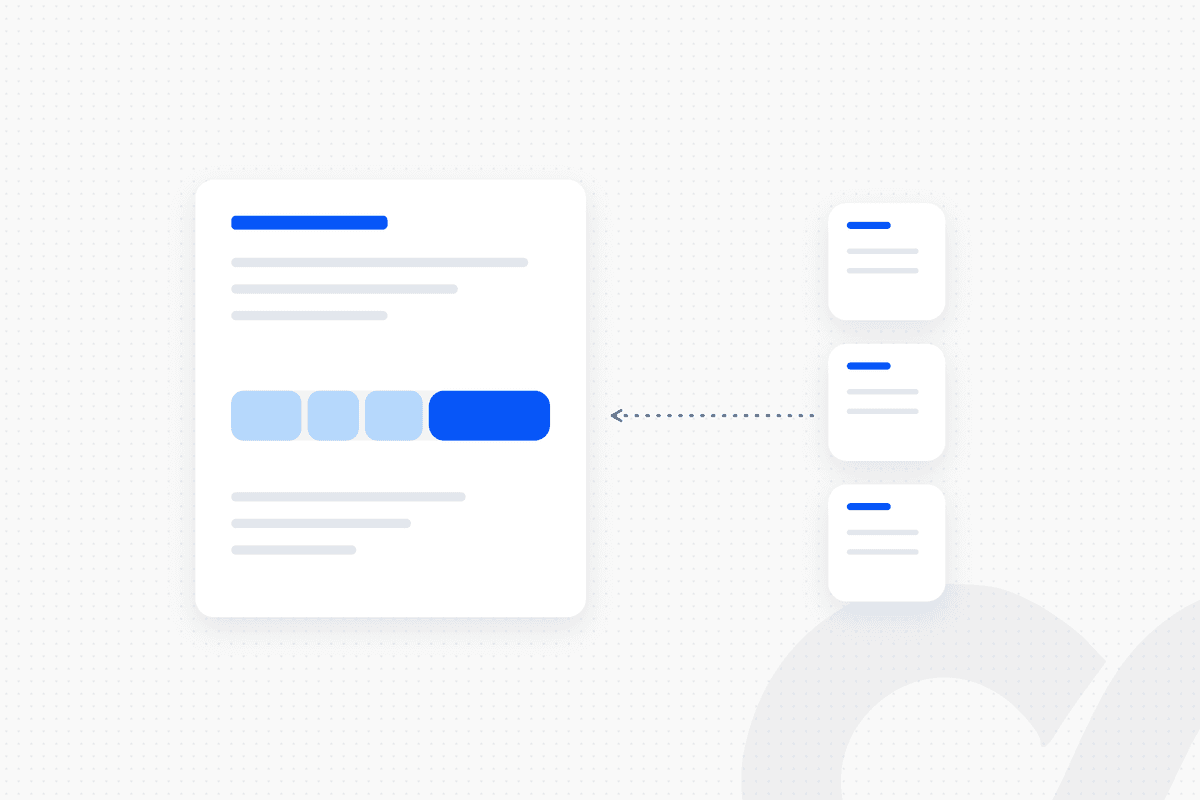
A blanket purchase order approves spend with one vendor once, up to a ceiling, for a set term and at agreed prices, and then many invoices draw it down. To track drawdowns, keep a running remaining balance (ceiling minus everything invoiced, and minus open releases if you commit spend early), and match every invoice with the same rule: find the open blanket PO → check vendor, dates and price → check the remaining balance → post and reduce it, or route to the budget owner. An invoice that would exceed the balance or arrives after the PO expires stops before it posts.
That rule is where most blanket POs fail in practice. The PO is approved carefully, then invoices are coded to it for months without anyone checking what is left, and the overspend shows up at year-end. This guide covers the setup, the drawdown math, the matching rules and the controls that keep a blanket PO meaningful.
Key takeaways
- A blanket purchase order is one approval for repeated purchases, with a ceiling, a term, agreed prices and a named budget owner.
- The remaining balance is the control. Every matched invoice reduces it, and no invoice posts if the balance can't cover it.
- Match each invoice on five checks: vendor, effective dates, contracted price within tolerance, remaining balance and duplicates.
- Exceptions go to the budget owner, who can raise the ceiling through normal approval, approve a separate PO or reject the invoice.
- Close the blanket PO at the end of its term and release the unused balance, so committed spend stays accurate.
What is a blanket purchase order?
A blanket purchase order is a single PO that authorizes repeated purchases from one vendor over a period, up to a set limit, at agreed prices and terms. It replaces many small POs for spend that recurs, such as a maintenance contract, office supplies or a contractor's monthly retainer.
Oracle's NetSuite documentation says blanket purchase orders define "a pre-determined price for a set quantity of items you will buy from a vendor during a time period", specifying the item, price, quantity, terms and effective period (Oracle NetSuite, Blanket Purchase Orders). In the U.S. federal government, the equivalent is the blanket purchase agreement, which FAR 13.303-1 describes as "a simplified method of filling anticipated repetitive needs" (FAR 13.303-1).
For how a blanket PO differs from a standard PO, see the difference between a standard PO and a blanket PO.
When a blanket PO is the right tool
Use a blanket PO when you buy the same thing, or the same kind of service, from one vendor repeatedly and the price is agreed in advance. If the vendor, price or scope changes every time, a standard PO per purchase is the better control.
| Spend pattern | Best fit | Why |
|---|---|---|
| Recurring goods at a fixed unit price | Blanket PO | One approval, many deliveries, price locked |
| Monthly services retainer or rate card | Blanket PO | One approval, one invoice per period |
| One-off purchase or capital item | Standard PO | Each purchase needs its own approval |
| Recurring low-value spend (utilities, subscriptions) | No PO, coding rule and approver | A PO adds work without adding control |
How to set up a blanket PO that can be tracked
Set five fields on every blanket PO: the ceiling, the term, the line structure, the budget owner and the release method. If any one is missing, the drawdown can't be checked automatically.
- Ceiling. The maximum amount (or quantity) the PO can be drawn down by. This is the number every invoice is checked against.
- Term. A start and end date. Invoices dated outside the term don't match.
- Line structure. One line per item or service category, each with its agreed unit price or rate. Lines let you track which part of the PO is being used, not just the total.
- Budget owner. The person who approved the spend and who receives every exception.
- Release method. Either releases (separate call-off orders that each reference the blanket PO) or direct invoicing against the blanket PO lines.
NetSuite supports the release model. According to Oracle's documentation, future orders can be released manually by buyers or automatically based on item lead times, purchase order lines reference the originating blanket purchase order, and the blanket PO's schedule lists every associated purchase order. Delivery schedules released within the effective dates use the contracted prices and terms.
How blanket PO drawdowns work
Every matched invoice reduces the remaining balance, and the remaining balance determines whether the next invoice can post. The formula is simple:
Remaining balance = ceiling − invoiced to date − open releases not yet invoiced
Count open releases if you commit spend when a release is placed, which gives budget owners an earlier warning. If you only use direct invoicing, the last term is zero.
A worked example
The example below follows one services blanket PO through four invoices. All figures are hypothetical.
Your company approves a blanket PO for IT support with a ceiling of 60,000 for January through December, at an agreed rate of 150 per hour.
| Invoice | Hours billed | Rate billed | Amount | Remaining balance before | Result |
|---|---|---|---|---|---|
| January | 100 | 150 | 15,000 | 60,000 | Matched, balance 45,000 |
| February | 120 | 150 | 18,000 | 45,000 | Matched, balance 27,000 |
| March | 110 | 165 | 18,150 | 27,000 | Stopped: rate above contract |
| March (corrected) | 110 | 150 | 16,500 | 27,000 | Matched, balance 10,500 |
| April | 90 | 150 | 13,500 | 10,500 | Stopped: exceeds remaining balance |
By April, the ceiling meant for a full year is almost used. Nothing posted above the agreed rate or above the ceiling, and the budget owner learned about the overrun in April, not December. Without the check, the April invoice would have posted and the overspend would have surfaced at year-end.
How to match an invoice to a blanket PO
Run the same five checks on every invoice that cites, or should cite, a blanket PO. The flow:
invoice received → vendor's open blanket PO found → effective dates checked → price checked against the PO line → remaining balance checked → duplicate check → posted and balance reduced, or routed to the budget owner
- Vendor and PO. The invoice's vendor has an open blanket PO, and the invoice cites it or can be linked by rule (one open blanket PO per vendor and category makes this unambiguous).
- Dates. The invoice date and service period fall within the PO term.
- Price. Each line's unit price or rate matches the PO line, within your price tolerance. See what PO price tolerance is and how to set it.
- Remaining balance. The remaining balance covers the invoice amount.
- Duplicates. No invoice with the same vendor and invoice number has already drawn down this PO. See how to prevent duplicate vendor payments.
For goods, add the receipt: each delivery is received against the blanket PO or its release, and the invoice quantity is matched to the received quantity. Whether you need that third leg depends on the spend; see whether you need a two-way or three-way match. In NetSuite, the 3 Way Match Vendor Bill Approval Workflow checks quantity and amount against tolerance levels and routes discrepancies to the assigned supervisor, per Oracle's documentation. For the full method, see how to do three-way matching for AP invoices.
Rules that stop the invoices you don't want
Each common blanket PO failure has one rule that stops it, and one person who resolves it. The table pairs them.
| Failure | Rule that stops it | Who resolves it |
|---|---|---|
| Invoice exceeds remaining balance | Amount > remaining balance → hold | Budget owner: raise ceiling via approval, separate PO or reject |
| Invoice after the PO expires | Invoice or service date > end date → hold | Budget owner: new blanket PO or reject |
| Price above contract | Unit price outside tolerance → hold | Buyer: vendor credit or approved price change |
| Line not on the PO | Item or category not on any PO line → hold | Buyer: add a line through approval or use a separate PO |
| Duplicate invoice | Same vendor and invoice number already matched → reject | AP specialist confirms |
Raising a ceiling is a new approval, not an edit. If an AP clerk can increase the ceiling to make an invoice fit, the blanket PO stops being a control. Route increases through the same approval matrix that approved the original PO.
How to track blanket PO utilization
Report each blanket PO's utilization (invoiced ÷ ceiling) against time elapsed, and alert the budget owner before the ceiling or the end date is reached. A PO that is 80% used a third of the way through its term needs attention now.
Track three things for every open blanket PO:
- Utilization: invoiced to date and open releases as a share of the ceiling.
- Burn rate: average monthly drawdown, and the month the ceiling will be hit at that rate.
- Expiry: days until the end date, with a warning far enough ahead to renew or rebid.
Set the alert thresholds in your policy (for example at 75% and 90% utilization). The thresholds are a choice; having them is the control.
How to close a blanket PO
Close the blanket PO when its term ends or its ceiling is used, and release any unused balance so it no longer shows as committed spend. An expired blanket PO with a balance still open overstates commitments in every budget report.
Before closing, match or reject the last invoices, confirm no releases are still open and record final utilization. The FAR states the same principle for federal buyers: using a blanket purchase agreement "does not exempt an agency from the responsibility" for keeping obligations and expenditures within available funds (FAR 13.303-1). A blanket PO authorizes spend. It doesn't replace the budget check.
How Loopfour automates blanket PO matching
Loopfour builds blanket PO matching as fixed rules on your existing ERP, and runs and maintains it as a managed service. NetSuite, Sage Intacct, QuickBooks or Xero stays the system of record. Exceptions go to the budget owner in Slack with the invoice, the PO and the remaining balance attached.
invoice arrives → Invoice Agent extracts vendor, lines and amounts (confidence-checked) → open blanket PO found → dates, price and duplicate checks → remaining balance checked → bill posted and balance reduced → utilization alert at the policy threshold → exceptions approved in Slack → execution tree records every step
Loopfour, the deterministic finance workflow automation platform, uses AI only to extract data from the invoice document, under a confidence threshold. The match, the balance check and the posting are fixed logic your team approved. Loopfour is SOC 2 Type II certified and SOC 1 Type I certified, and signs Business Associate Agreements (BAAs) with customers.
Want to see your open blanket POs tracked automatically? Book a workflow review and we will walk through your current PO and invoice flow.
How to decide whether your blanket POs need automation
Automate blanket PO matching when more than a handful of invoices draw down each PO, or when nobody can say today what is left on each one. If your team checks remaining balances in a spreadsheet, the check happens when someone remembers.
Ask three questions. Can you see the remaining balance on every open blanket PO right now? Did any invoice last quarter post above its PO ceiling or after its end date? Who approved each ceiling increase? If any answer takes longer than a minute to find, the rules above belong in a workflow, not a spreadsheet.
Frequently asked questions
What is a blanket purchase order?
A blanket purchase order is a single PO that approves repeated purchases from one vendor up to a ceiling, over a set period, at agreed prices and terms. Instead of raising a new PO for every order, the company approves the spend once and each invoice or release draws down the remaining balance.
How does a blanket PO drawdown work?
Each invoice matched to the blanket PO reduces its remaining balance. The remaining balance equals the ceiling minus everything already invoiced, and minus any open releases if you commit spend before the invoice arrives. When the remaining balance can't cover the next invoice, the invoice stops for the budget owner.
What happens when an invoice exceeds the remaining balance on a blanket PO?
The invoice should not post. It goes to the budget owner, who can approve an increase to the blanket PO through the normal approval route, approve a separate PO for the excess, or reject the invoice. Posting it anyway turns the ceiling into a suggestion.
Can you use three-way matching with a blanket PO?
Yes, for goods. Each release or delivery is received against the blanket PO, and the invoice is matched to the PO price and the received quantity. For services under a blanket PO, a two-way match against the agreed rate plus a service confirmation from the requester is more common.
What is the difference between a blanket PO and a contract?
A contract or master agreement sets the legal terms with a vendor. A blanket PO is the internal spending authorization that sits under it, with a ceiling, a term and a budget line. Many companies use both: the contract for terms and the blanket PO to control and track the spend.
How do you close a blanket purchase order?
Close it when the term ends or the ceiling is used. Match or reject any remaining invoices, release the unused balance so it no longer shows as committed spend, and record the final utilization. If the need continues, raise a new blanket PO with a fresh approval.
Conclusion
A blanket purchase order is only as good as the check on its remaining balance. Set the ceiling, term, lines, owner and release method up front, match every invoice on vendor, dates, price, balance and duplicates, and send every exception to the budget owner. Track utilization against time, close the PO when it ends and release what is left. The spend stays approved once and controlled every time.
Tell us the one workflow your team dreads. We will show it running. Book a demo.