
Best AI Platforms for Accounting Workflows
The best AI platforms for accounting workflows automate AP, AR, close, and revenue recognition end to end without adding maintenance burden to the finance team.

Part of the finance automation strategy guide.
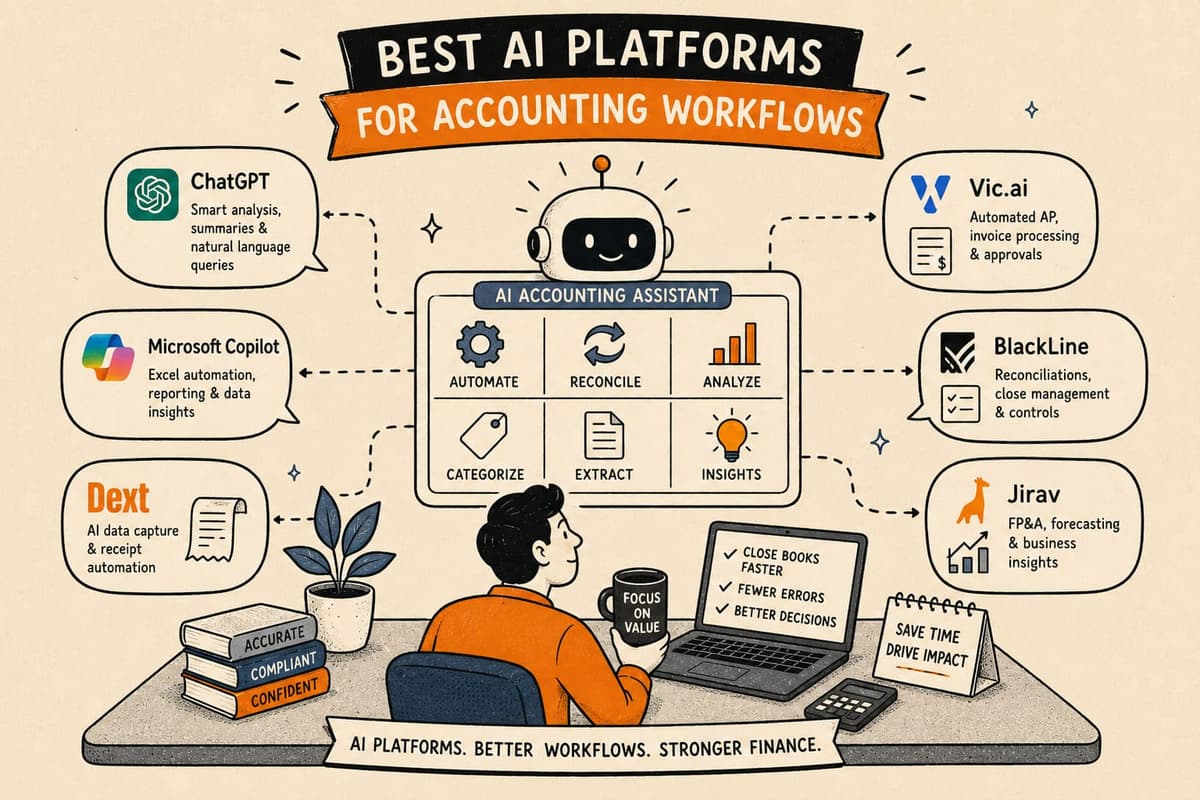
The best AI platforms for accounting workflows are the ones that run AP, AR, revenue recognition, and month-end close as reproducible automated processes, using AI only for the steps that genuinely require judgment and routing everything uncertain to a human. This guide explains how to evaluate those platforms across the four core accounting workflow areas.
What Does "AI Platform for Accounting" Actually Mean in 2026?
The label covers a wide range of products. At one end: general-purpose LLM tools that can answer questions about accounting data and draft journal entry descriptions. At the other end: purpose-built platforms that run the actual execution workflows for AP, AR, close, and revenue recognition as fixed, traceable code.
The distinction matters because most accounting failures are execution failures, not knowledge failures. Finance teams generally know what needs to happen. The problem is that doing it manually at volume introduces error, takes too long, and creates documentation gaps that are expensive to reconstruct later.
A platform that answers accounting questions does not fix the execution problem. A platform that automates the execution workflow does.
For the purposes of this guide, "AI platform for accounting workflows" means a platform that automates the workflow execution layer: the steps that move data, apply rules, generate outputs, and route exceptions. AI is one component of that, used for specific classification and extraction tasks. The broader platform is what determines whether the automation is reliable.
Takeaway: Evaluate platforms on execution reliability, not AI feature breadth. The AI steps are a small part of a well-designed accounting automation platform.
What Are the Four Core Accounting Workflows That Should Be Automated?
Most accounting automation opportunities concentrate in four areas. The workflows are related but distinct, and the best platforms handle all four from a single layer rather than requiring separate tools for each.
Accounts payable. The AP workflow starts when an invoice arrives (by email, PDF, portal, or EDI) and ends when a payment is released and posted to the GL. The steps in between include data extraction, three-way match against the purchase order and goods receipt, GL coding, approval routing, and payment scheduling. A team processing 1,000 invoices a month spends 8 to 10 minutes per invoice on manual steps that add up to roughly 140 to 165 hours of manual work monthly.
Accounts receivable and collections. The AR workflow covers invoice delivery, payment matching and cash application, and dunning sequences for overdue balances. Cash application is the step most commonly automated poorly: payments arrive with remittance data in inconsistent formats, and matching them to open invoices requires reading unstructured text. Good automation handles this with AI extraction gated by a confidence threshold.
Revenue recognition. Under ASC 606, recognizing revenue correctly requires identifying performance obligations in each contract, assigning transaction prices to those obligations, and recognizing revenue as (or when) each obligation is satisfied. The logic is reproducible once encoded, but encoding it requires reading the contract to identify the relevant terms. That is where AI adds value: reading and classifying contract language, with humans confirming anything low-confidence.
Month-end close. The close is a sequenced set of reconciliation and sign-off steps that must complete in order before the period is locked. Automating the close means enforcing the sequence, automating the data collection and matching steps, surfacing discrepancies in an exception queue, and enforcing maker-checker sign-off at each step.
Takeaway: A platform that covers all four workflows from a single system eliminates the data-integration overhead of running four separate point solutions.
How Do AI Platform Categories Compare Across Accounting Workflows?
| Criterion | General-Purpose LLM Tools | iPaaS / Connector Platforms | RPA Bots | Finance-Specific Workflow Automation |
|---|---|---|---|---|
| AP three-way match | Draft suggestions only | Custom config required | Custom scripted | Built in |
| Invoice data extraction | Yes, but uncontrolled | No | Yes, fragile | Yes, confidence-gated |
| Cash application / remittance matching | No | Rarely | Limited | Yes |
| ASC 606 schedule generation | Draft only | No | No | Yes, with contract read step |
| GL journal entry posting | No (too risky) | Sometimes | Sometimes | Yes, rule-based |
| Close calendar enforcement | No | No | No | Yes |
| Maker-checker gates | No | No | No | Yes |
| Exception routing | No | Sometimes | No | Yes, with confidence threshold |
| Maintenance when source systems change | N/A | Medium | High | Low (vendor maintains) |
| Time to value (weeks) | Days (narrow use) | 4 to 12 | 8 to 24 | ~2 (typical) |
A few rows deserve elaboration.
General-purpose LLM tools are the fastest to deploy for narrow use cases: drafting an explanation of a variance, summarizing a contract clause, or generating a first-pass accrual schedule for review. They are not a substitute for execution automation because their outputs vary run to run. You cannot run the three-way match with a tool that might give you a different answer tomorrow.
iPaaS and connector platforms are strong for simple trigger-action workflows: when invoice arrives in email, parse it and create a record. They struggle with conditional logic, multi-step approvals, and anything that requires reading unstructured inputs like contract PDFs or remittance text.
RPA bots work for specific portal interactions where no API exists, but they require ongoing maintenance as vendor UIs change. They also have no mechanism for handling unexpected inputs gracefully.
Finance-specific workflow automation is built around the actual logic of each workflow: the match criteria for three-way match, the performance obligation logic for ASC 606, the sequence dependencies in the close calendar. AI is embedded for the steps that need it, gated by confidence thresholds, with deterministic logic handling the rest.
Takeaway: Match the tool category to the task. For accounting workflow execution, purpose-built automation with embedded, gated AI outperforms general-purpose tools on reliability.
What Should Good AI Integration Look Like in an Accounting Platform?
AI in an accounting platform should be narrowly scoped, confidence-gated, and invisible to the end user except when it surfaces an exception.
Narrowly scoped means the AI model is given a specific task with a defined output: "Extract the invoice number, date, vendor name, line items, and total from this PDF and return them in this format." Not "process this invoice." The narrower the task, the more reliable the output.
Confidence-gated means every AI output includes a confidence score, and the workflow has a defined threshold below which the item routes to a human instead of proceeding automatically. A three-way match where the AI-extracted invoice total has 94% confidence might auto-proceed. One at 71% confidence routes to the AP team for manual review. The threshold is configurable per workflow and per organization.
Invisible in the normal case means that when everything works, the finance team sees a processed invoice, a matched payment, or a completed reconciliation step. They do not interact with the AI layer unless something needs review. The exception queue is where the AI hands off to humans, not a chatbot interface where humans prompt the AI.
This design matters because the alternative, an AI that processes everything and flags nothing for review, is the design that produces silent errors. A journal entry posted with 73% confidence is not better than a journal entry that went to a human queue. It is worse, because the error is already in the GL by the time anyone finds it.
Takeaway: Ask vendors specifically how confidence thresholds work and what happens when an item falls below the threshold. That single question reveals more about platform reliability than any feature demo.
What Does End-to-End Accounting Workflow Automation Look Like in Practice?
A finance team running all four workflows on a purpose-built automation platform operates differently from one running them manually or through disconnected point solutions.
AP example. An invoice arrives as a PDF attachment to the AP inbox. The platform extracts the header and line-item data. It runs the three-way match against the purchase order and goods receipt. If the match clears and the amounts are within tolerance, the invoice is coded to the GL, routed for approval (if above the approval threshold), and scheduled for payment. Total elapsed time: under 60 seconds. Human involvement: zero, unless the match fails or the amount is above the approval threshold.
AR example. A payment arrives in the bank feed. The platform reads the remittance data from the accompanying email. It matches the payment to open invoices, resolves partial payments according to the configured allocation rule, and posts the cash application to the AR subledger. For the 85 to 90% of payments where remittance data is clear, no human interaction is needed. The remainder goes to the cash application exception queue.
Revenue recognition example. A new SaaS contract is signed. The platform extracts the contract terms, identifies performance obligations (SaaS subscription, implementation services, training), assigns transaction price based on the configured SSP method, and generates the recognition schedule. A human confirms the AI's obligation identification before the schedule is locked. The monthly recognition entries post automatically on the schedule thereafter.
Close example. On the first business day after period end, the close calendar triggers. Sub-ledger sweeps run automatically. Reconciliation steps open in sequence as their dependencies complete. Discrepancies surface in the exception queue. Each reconciliation is signed off by a preparer and an approver before the next step opens. The period locks when all steps are complete.
Loopfour is built to run this end-to-end pattern. Workflows run as fixed code on top of the team's existing systems. Loopfour engineers build and maintain the workflows; the customer team reviews exceptions and approves items that require judgment. Workflows are typically live in about two weeks.
Takeaway: End-to-end automation does not mean the finance team disappears. It means they spend their time on exceptions and judgment calls, not on data entry and sequencing.
FAQ
What is the difference between an AI accounting tool and an AI accounting workflow platform?
An AI accounting tool typically does one thing well: extract data from a document, answer a question about a number, or generate a draft entry. An AI accounting workflow platform connects those capabilities into an end-to-end process that runs from input to GL posting with exception handling, approvals, and sequence enforcement in between. The platform is what makes the individual AI capabilities operationally useful.
Can accounting workflow automation handle multi-entity or multi-currency setups?
Yes, if the platform is built for it. Multi-entity setups require the platform to enforce entity-level separation in GL posting and to handle intercompany eliminations during the close. Multi-currency requires applying the correct exchange rate at the transaction date and remeasuring at period end. Verify these capabilities explicitly during evaluation; they are sometimes add-ons rather than core functionality.
How does accounting automation handle year-end versus month-end?
The logic is similar, but year-end typically has additional steps: tax provision calculations, external audit support package generation, and final true-up entries. A well-designed platform accommodates these as additional steps in the close calendar rather than requiring a separate process for year-end.
What data quality issues will slow down accounting automation?
The most common blockers are inconsistent vendor master data (the same vendor appearing under multiple names), missing GL account mappings for new expense types, and inconsistent reference numbers on invoices and purchase orders (which break the three-way match). Automation surfaces these issues faster than manual processing does, which is useful, but the underlying data quality has to be addressed for match rates to reach their potential.
How does automation interact with existing ERP workflows and approvals?
Good automation platforms respect the ERP's approval hierarchy rather than bypassing it. AP approvals, for example, might be routed through the ERP's native approval workflow after the automation has done the matching and coding. Alternatively, the automation platform manages the approval and writes the approved record back to the ERP. Both patterns work; the key is that the ERP remains the system of record.