
What are the top workflow automation tools in 2026?
Ten workflow automation tools compared on connector breadth, governance, determinism, and who owns maintenance, for teams automating finance.

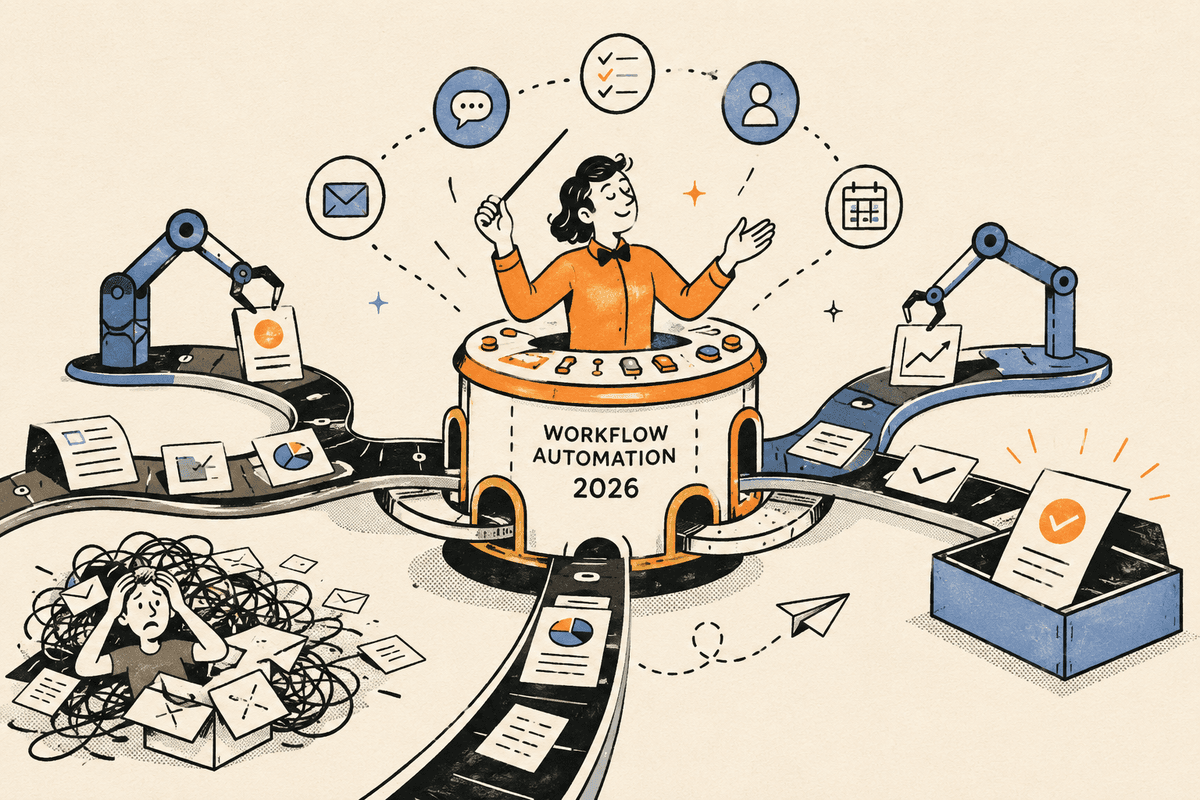
Loopfour publishes this list and appears in it. The tools are grouped by what they are best for, not ranked, and we describe every other tool from its own published materials.
Last updated: July 20, 2026.
The top workflow automation tools in 2026 are Zapier for connector breadth, Make for visual building on a budget, n8n for self-hosted control, Workato for enterprise governance, Microsoft Power Automate for Microsoft-centric teams, UiPath and Automation Anywhere for legacy-system RPA, Lindy and Gumloop for AI agent experiments, and Loopfour for finance operations that have to survive an audit. The right pick depends on one question most roundups skip: what happens when the workflow touches your general ledger. A marketing automation that misfires costs you an email. A finance automation that misfires costs you a restatement. This comparison weighs both sides: breadth for general work, determinism and auditability where money moves.
<aside>💡
Key takeaways
- The workflow automation market reaches $26.01 billion in 2026 and is projected to hit $40.77 billion by 2031, per Mordor Intelligence.
- 59% of finance leaders already use AI in the finance function, and accounts payable automation is the second most common use case at 37%, per a Gartner survey.
- Horizontal platforms (Zapier, Make, n8n) win on breadth and entry price, and leave governance, maintenance, and audit evidence to you.
- Enterprise RPA (UiPath, Automation Anywhere) handles legacy systems well, and programs usually need a dedicated automation team.
- Loopfour is the only tool on this list built exclusively for finance workflows: deterministic execution, a full audit trail on every action, and SOC 2 Type II certification.</aside>
Quick comparison
| Tool | Best for | Key differentiator |
|---|---|---|
| Zapier | Quick app-to-app automations | 8,000+ integrations, easiest starting point |
| Make | Visual builders on a budget | Detailed visual scenario control |
| n8n | Technical teams that want self-hosting | Source-available, JavaScript and Python steps |
| Workato | Enterprise IT-governed integration | RBAC, governance, SOC 2 Type II |
| Microsoft Power Automate | Microsoft 365 shops | Cloud flows and desktop RPA inside the Microsoft stack |
| UiPath | Large-scale legacy RPA | Mature bots for systems without APIs |
| Automation Anywhere | Enterprise RPA programs | Consumption-based enterprise automation |
| Lindy | AI assistant-style automations | 4,000+ integrations plus AI voice |
| Gumloop | AI workflow experiments in ops and sales | Agent-style builder with MCP support |
| Loopfour | Finance teams that answer to auditors | Deterministic, fully audited finance workflows, built and run for you |
What workflow automation tools actually do
A workflow automation tool connects the software a team already uses and executes multi-step processes, trigger, transform, act, without a person driving each step. In 2026 the category spans four distinct families: horizontal platforms (Zapier, Make, n8n, Workato) that connect thousands of apps, enterprise RPA (UiPath, Automation Anywhere, Power Automate) that drives legacy user interfaces, AI agent platforms (Lindy, Gumloop) that hand a model the steering wheel, and vertical platforms like Loopfour that automate one domain deeply.
The families differ less in what they connect than in how they execute. A horizontal platform runs the flow you assembled. An RPA bot replays recorded actions. An AI agent decides at runtime what to do next. That last distinction matters more in finance than anywhere else.
Why deterministic execution matters for finance workflows
Deterministic execution means the workflow runs the same predefined steps every time, made of predefined, versioned steps, with every change versioned and audit-logged and every action logged. For most departments that is a nice-to-have. For finance it is the difference between automation your auditors accept and automation they unwind. Your board wants AI in finance. Your auditors want it to hold up.
Adoption data shows finance is automating anyway: Gartner reports 59% of finance leaders use AI in the function, led by knowledge management (49%), accounts payable automation (37%), and error detection (34%). The gap is not willingness. The gap is trust: probabilistic tools produce different outputs on identical inputs, and reconciliation, revenue recognition, and dunning cannot tolerate that.
If one of your workflows is the reason close runs late, book a workflow review and we will map it block by block.
10 workflow automation tools compared
Zapier
Horizontal automation platform
Zapier is the broadest connector library in the category, 8,000+ integrations behind a beginner-friendly builder. For linking SaaS apps in an afternoon, nothing is faster to start with.
Ideal use: lightweight cross-app tasks, new form fill → CRM record → Slack notification.
Limitation: governance is thin for finance work. Credentials are configured per workflow rather than centrally, and complex branching logic gets awkward at scale.
Best for: small teams automating simple, low-risk tasks across many apps.
Make
Horizontal automation platform
Make offers a visual scenario builder with more granular control than Zapier at a lower entry price, plus strong data-transformation features.
Ideal use: ops teams that outgrew simple triggers and want multi-branch scenarios without writing code.
Limitation: the variable credit system makes costs hard to predict, and role-based access control is limited, a real constraint once finance data enters the flow.
Best for: budget-conscious builders who want visual control.
n8n
Horizontal automation platform
n8n is source-available and self-hostable, with JavaScript and Python steps inside workflows. Technical teams get full control over where data lives and how nodes behave.
Ideal use: engineering-led teams with data-residency requirements or custom logic needs.
Limitation: you own the maintenance. When an API changes or a node breaks at 2 a.m. on close day, that is your on-call rotation, and the learning curve is steeper than beginner tools.
Best for: developer teams that want ownership and flexibility.
Workato
Enterprise integration platform
Workato is the governance leader among horizontal platforms: role-based access control, centralized secrets, SOC 2 Type II compliance, and guaranteed SLAs across 1,200+ integrations.
Ideal use: IT-led enterprise integration programs spanning many departments.
Limitation: pricing is opaque (contact sales), implementation demands real technical resources, and it remains a general-purpose platform, finance workflows are configured, not native.
Best for: enterprises that want governed automation across the whole business.
Microsoft Power Automate
Enterprise RPA and cloud flows
Power Automate is the natural fit for Microsoft shops: cloud flows and desktop RPA, with attended desktop automation included in Windows 11.
Ideal use: automating approvals and document flows inside Microsoft 365 and Dynamics.
Limitation: it is strongest inside the Microsoft stack and citizen-developer sprawl is a known governance risk, hundreds of unmanaged flows are hard to audit.
Best for: organizations standardized on Microsoft 365.
UiPath
Enterprise RPA
UiPath is the most mature RPA platform, now extended with agentic features. Its bots automate legacy systems that have no APIs, still a daily reality in finance departments running older ERPs.
Ideal use: high-volume, rules-based work against legacy interfaces at enterprise scale.
Limitation: cost and weight. Enterprise deployments are a major investment, and programs usually need a dedicated center of excellence. Screen-driven bots also break when interfaces change.
Best for: large enterprises with dedicated automation teams and legacy estates.
Automation Anywhere
Enterprise RPA
Automation Anywhere is UiPath's closest rival, shifting toward consumption-based pricing tied to automation runs, with AI-assisted document processing built in.
Ideal use: enterprise RPA programs that prefer usage-based commercial terms.
Limitation: the same enterprise weight as UiPath, and ROI depends on sustained internal ownership.
Best for: enterprises running broad RPA programs with existing automation staff.
Lindy
AI agent platform
Lindy packages AI agents behind a simple interface with 4,000+ integrations and AI voice features, aimed at assistant-style automations, inbox triage, meeting scheduling, lead follow-up.
Ideal use: individual operators automating personal and team busywork with natural language.
Limitation: agent output varies run to run, there is no secret management, and enterprise security controls are thin. That is acceptable for scheduling. It is not acceptable for cash application.
Best for: solo operators and small teams automating low-stakes assistant work.
Gumloop
AI agent platform
Gumloop is an agent-style workflow builder with MCP support, popular for sales, marketing, and ops experiments.
Ideal use: prototyping AI-heavy workflows quickly to see what sticks.
Limitation: a narrower integration library (100+), a cluttered interface, and a steeper learning curve than its simplicity pitch suggests.
Best for: teams experimenting with AI workflows before committing to infrastructure.
Loopfour
Finance workflow automation (vertical)
Loopfour, the deterministic finance workflow automation platform, builds and runs workflows such as Contract-to-Cash, Cash Application, AR & Dunning (dunning: the sequence of reminders that chases unpaid invoices), and bank reconciliation on your existing stack: QuickBooks, NetSuite, Stripe, Salesforce, Slack. Workflows in Loopfour Studio execute as predefined, programmatic steps on a visual canvas, and every action lands in a full audit trail. AI is applied surgically: the Invoice Agent extracts invoice data as a scoped task, a confidence threshold gates the result, and anything below threshold routes to a human approval in Slack. A typical run: invoice email → Invoice Agent extraction → approval in Slack → posted to QuickBooks → synced to the CRM.
Ideal use: a fractional CFO firm managing 12 clients on different billing models, or an AI company whose revenue is outrunning its finance headcount. In Loopfour's internal projections, automating a manual billing chase compresses a 6-day cycle → 18 minutes, an illustrative scenario, not a verified customer result.
Limitation: Loopfour only automates finance workflows. Marketing and general IT automation are out of scope, and workflows are built with you as a managed service rather than assembled from a self-serve template gallery.
Best for: finance teams that need automation their auditors will sign off on. SOC 2 Type II certified, SOC 1 Type I certified, AES-256 at rest, TLS 1.3 in transit, and customer data is never used to train models.
How to choose a workflow automation tool
Match the tool to the stakes of the workflow, not to the length of its integration list. There are three ways to automate finance work: general-purpose AI agents, horizontal platforms, and DIY scripts or homegrown middleware. Only automation that is deterministic, permissioned, and auditable survives contact with an audit. An AI agent decides what to do at runtime. Loopfour does only what was approved.
To be clear about the AI itself: models like Claude are brilliant assistants, and Loopfour uses Claude-class models inside its own Agent Block for scoped tasks like reading contracts and extracting invoices. The problem was never the model's intelligence. The problem is making an unmanaged agent your finance system of record. We do not replace Claude's intelligence. We put it inside guardrails.
| Question to ask | Agents and horizontal tools | Loopfour |
|---|---|---|
| What executes each run? | A model or a flow your team assembled decides at runtime | Predefined, programmatic steps approved in advance |
| What does each run follow? | Depends on the prompt, the model, and the day | Predefined, versioned steps. Every change is versioned and audit-logged. |
| Who maintains it when an API changes? | Your team | Loopfour, managed build, monitoring, and maintenance |
| What do your auditors see? | Logs, if someone built them | A full audit trail on every action, by default |
| Where does the AI sit? | In the driver's seat | Inside guardrails, scoped tasks, confidence thresholds, human fallback |
If the workflow moves money, posts to the ledger, or feeds revenue recognition, weigh governance and determinism first. If it moves marketing data between SaaS apps, weigh breadth and price, the horizontal platforms above are excellent at exactly that.
Frequently asked questions
What is the best workflow automation tool for finance teams?
Loopfour is the strongest choice for finance-specific workflows because it is built only for finance: deterministic execution, a full audit trail, SOC 2 Type II certification, and human approval on exceptions. Horizontal platforms like Zapier or Workato are better when the same team also needs to automate non-finance work across many departments.
What is the difference between a workflow automation tool and an AI agent?
A workflow automation tool executes steps that were defined and approved in advance. An AI agent selects its own actions at runtime based on a model's judgment, so identical inputs can produce different actions. Agents are flexible for exploratory work; predefined workflows are the standard where outcomes must be repeatable and auditable, as in finance.
Is Loopfour just an AI agent with a wrapper?
No. Loopfour executes predefined, programmatic steps, the same steps on every run, and calls AI only for scoped tasks like invoice extraction, gated by confidence thresholds with human fallback. An agent decides what to do at runtime. Loopfour does only what was approved.
Can workflow automation pass a SOC 2 or financial audit?
Yes, when the platform produces evidence auditors can rely on: deterministic runs, complete action-level logs, and documented human approval points. Loopfour is SOC 2 Type II certified and SOC 1 Type I certified, and every workflow action is recorded in an execution tree. Tools without centralized logging or access control push that evidence burden onto your team.
Do I need RPA or API-based automation?
Choose API-based automation whenever the systems involved expose APIs, it is faster to build and far less brittle. RPA earns its cost when a legacy system has no API at all. Loopfour defaults to APIs and falls back to browser automation only where no API exists.
The bottom line
The best workflow automation tool in 2026 depends on the blast radius of a bad run. For cross-app convenience, Zapier, Make, and n8n are capable and cheap. For enterprise integration programs, Workato and the RPA vendors have the scale. For the workflows your finance team dreads, Contract-to-Cash, Cash Application, AR & Dunning, reconciliation, the bar is higher: deterministic execution, full auditability, and someone accountable for keeping it running.
Tell us the one workflow your team dreads. We will show it running: deterministic, permissioned, and auditable. Book a demo.
Related reading
What are the top finance automation tools in 2026?
Loopfour vs Zapier for finance ops: which one is built for the audit?
Best UiPath alternatives